EasyManua.ls Logo

Mophie Juice Pack Pro - User Manual

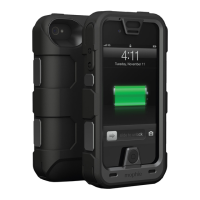
Mophie Juice Pack Pro
9 pages
Print Icon
To Next Page IconTo Next Page
Loading...
Question and Answer IconNeed help?

Do you have a question about the Mophie Juice Pack Pro and is the answer not in the manual?

Summary

mophie juice pack PRO Overview

Welcome

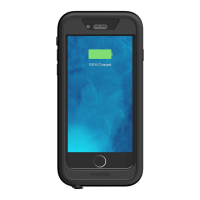
Introduction to the juice pack PRO and its target audience, highlighting confidence in demanding conditions.

MIL-STD 810 G Rated

Details on the product's ruggedness, exceeding military standards for impact and dust/sand penetration.

Package Contents

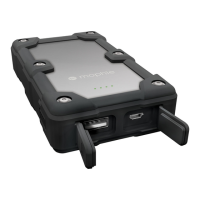
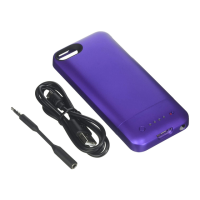
Lists the items included with the mophie juice pack PRO, such as the case, belt clip, and cables.

Product Features

Highlights key features like large battery capacity, belt clip, and rugged design for adventure.

Product Benefits and Compatibility

Key Device Advantages

Summarizes the benefits of the juice pack PRO, including battery capacity, rugged design, and power switch.

Device Compatibility

Specifies that the juice pack PRO is intended solely for the Apple iPhone 4S/4.

Charging and Operation

Charging the Juice Pack PRO

Instructions on connecting the juice pack PRO to a power source using the provided micro USB cable.

Charging the iPhone

Guidance on how to charge the iPhone 4S/4 using the juice pack PRO, including priority charging.

Checking Battery Status

How to check the remaining battery level of the juice pack PRO using LED indicators.

Stand-by Mode

Instructions on switching the juice pack PRO to stand-by mode to conserve battery power.

Computer Syncing

How to sync the iPhone with a computer while it is connected to the juice pack PRO.

Maintenance, Warranty, and Support

Product Maintenance Tips

Recommendations for keeping the juice pack PRO in optimal condition, including dryness and cleaning.

Product Warranty

Information regarding the one-year limited warranty for the mophie juice pack PRO.

Customer Service Information

Contact details, including telephone number and website, for customer support.

Important Notices and FAQs

Safety Warnings

Critical safety precautions regarding temperature, physical damage, disassembly, and liquid exposure.

Legal Disclaimers

Legal information concerning product use, manufacturer liability, and trademarks.

Frequently Asked Questions

Answers to common user inquiries about charging methods and battery charge cycles.

Further Usage Clarifications

Stand-by Mode Benefits

Explains the advantage of using stand-by mode for extending total battery life.

Computer Syncing Capability

Confirms that syncing the iPhone with iTunes is possible while connected to the juice pack.

Return Policy Details

Informs users about mophie's right to apply a 20% restocking fee upon product return.

Battery Life Expectations

Manages user expectations regarding the amount of additional battery life received.

Device Functionality Checks

Clarifies whether the juice pack PRO affects phone features like speakers, mics, cameras, or antennas.

Screen Protector Installation Guide

Preparation and Cleaning

Ensuring the iPhone screen is clean and free of dust and fingerprints before application.

Adhesive Application

Instructions on partially exposing and applying the adhesive side of the screen protector.

Alignment and Attachment

Guide to aligning the screen protector to the iPhone screen and pressing it down.

Bubble Removal Technique

Method for removing air bubbles by pressing towards the screen edges.

Summary

mophie juice pack PRO Overview

Welcome

Introduction to the juice pack PRO and its target audience, highlighting confidence in demanding conditions.

MIL-STD 810 G Rated

Details on the product's ruggedness, exceeding military standards for impact and dust/sand penetration.

Package Contents

Lists the items included with the mophie juice pack PRO, such as the case, belt clip, and cables.

Product Features

Highlights key features like large battery capacity, belt clip, and rugged design for adventure.

Product Benefits and Compatibility

Key Device Advantages

Summarizes the benefits of the juice pack PRO, including battery capacity, rugged design, and power switch.

Device Compatibility

Specifies that the juice pack PRO is intended solely for the Apple iPhone 4S/4.

Charging and Operation

Charging the Juice Pack PRO

Instructions on connecting the juice pack PRO to a power source using the provided micro USB cable.

Charging the iPhone

Guidance on how to charge the iPhone 4S/4 using the juice pack PRO, including priority charging.

Checking Battery Status

How to check the remaining battery level of the juice pack PRO using LED indicators.

Stand-by Mode

Instructions on switching the juice pack PRO to stand-by mode to conserve battery power.

Computer Syncing

How to sync the iPhone with a computer while it is connected to the juice pack PRO.

Maintenance, Warranty, and Support

Product Maintenance Tips

Recommendations for keeping the juice pack PRO in optimal condition, including dryness and cleaning.

Product Warranty

Information regarding the one-year limited warranty for the mophie juice pack PRO.

Customer Service Information

Contact details, including telephone number and website, for customer support.

Important Notices and FAQs

Safety Warnings

Critical safety precautions regarding temperature, physical damage, disassembly, and liquid exposure.

Legal Disclaimers

Legal information concerning product use, manufacturer liability, and trademarks.

Frequently Asked Questions

Answers to common user inquiries about charging methods and battery charge cycles.

Further Usage Clarifications

Stand-by Mode Benefits

Explains the advantage of using stand-by mode for extending total battery life.

Computer Syncing Capability

Confirms that syncing the iPhone with iTunes is possible while connected to the juice pack.

Return Policy Details

Informs users about mophie's right to apply a 20% restocking fee upon product return.

Battery Life Expectations

Manages user expectations regarding the amount of additional battery life received.

Device Functionality Checks

Clarifies whether the juice pack PRO affects phone features like speakers, mics, cameras, or antennas.

Screen Protector Installation Guide

Preparation and Cleaning

Ensuring the iPhone screen is clean and free of dust and fingerprints before application.

Adhesive Application

Instructions on partially exposing and applying the adhesive side of the screen protector.

Alignment and Attachment

Guide to aligning the screen protector to the iPhone screen and pressing it down.

Bubble Removal Technique

Method for removing air bubbles by pressing towards the screen edges.

Mophie Juice Pack Pro Specifications

General IconGeneral
Battery Capacity2500 mAh
LED IndicatorYes
TypeBattery Case
Wireless ChargingNo
Pass-Through ChargingYes
Charging MethodUSB
Output1A
Input1A

Related product manuals