2
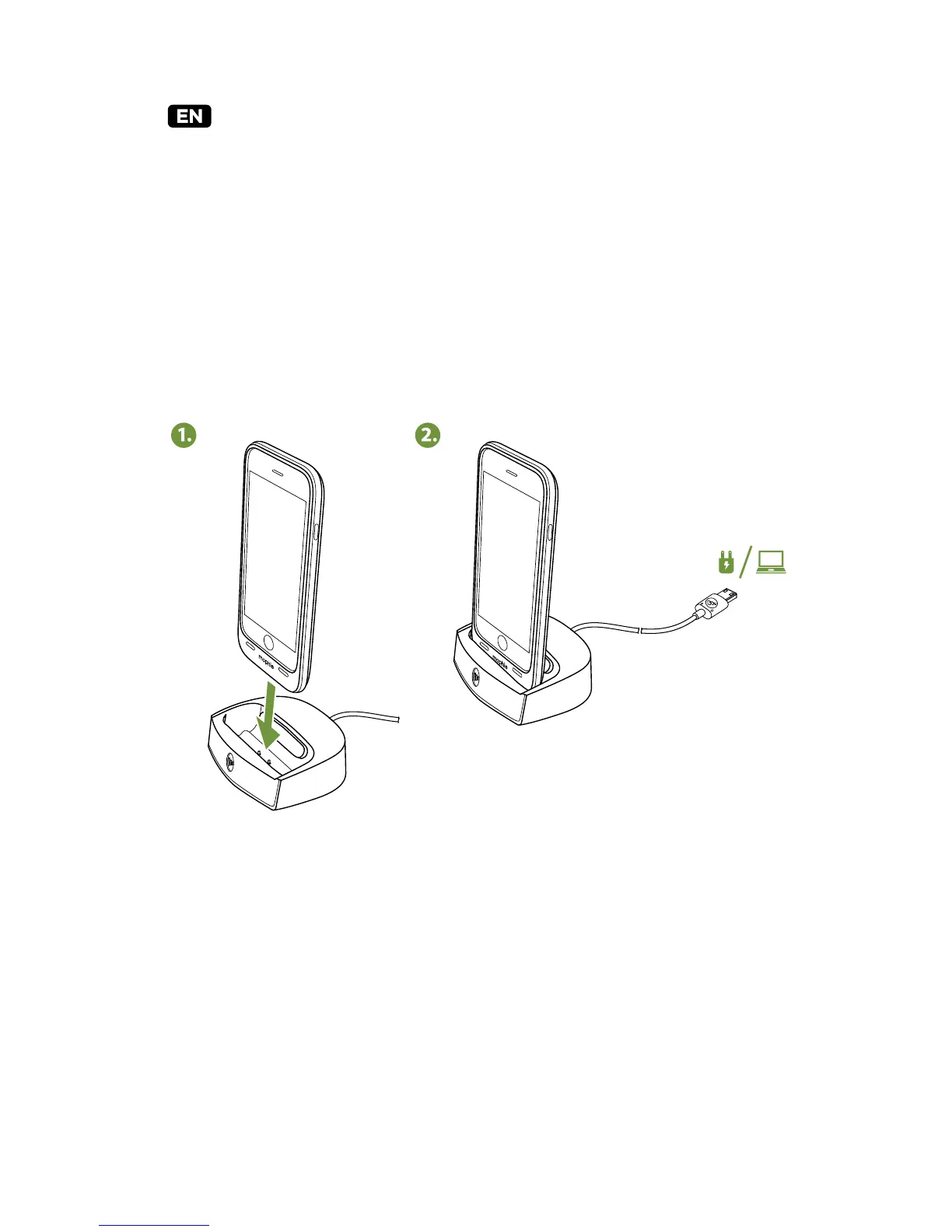
Placing mophie juice pack cases in the dock
As shipped, the juice pack dock’s rubber insert will
hold juice pack air and juice pack plus cases Made for
iPhone 6 at the proper angle. Simply place the juice
pack case into the dock and it will begin charging on
contact. (Note that the dock for juice pack for iPhone
6 Plus does not have a removable rubber insert.)
For juice pack ultra cases
To dock a juice pack ultra case:
a) Remove the rubber insert from the rear of the
dock well
b) Reverse the insert so its back now faces out
c) Replace the insert





 To Next Page