Need help?
Do you have a question about the Mophie MPSGRGD-AC55500 and is the answer not in the manual?
Key safety warnings and precautions for using the powerstation go rugged AC, covering electrical hazards, misuse, and environmental factors.
Instructions for the first-time full charge of the powerstation go rugged AC, indicated by LED battery indicators.
Details on connecting the charging adapter and cable, automatic charging, and completion indicators.
Steps for correctly attaching the jumper cable clamps to the positive and negative terminals of a vehicle battery.
Procedure for initiating a jump start, including button presses, expected lights, and critical safety warnings.
Instructions for starting the vehicle and safely disconnecting the jumper cable clamps after a successful jump start.
Common issues, potential causes, and solutions for jump start failures, including error messages and indicator lights.
How to connect and power electronic devices, including laptops, via the AC output port, noting power limitations.
Details on operating the AC output, status lights, automatic power-off, and restrictions on device wattage.
Steps to connect electronic devices to the USB output ports using Type-C or standard USB cables.
How to turn on/off the floodlight, red emergency light, and SOS flashing red light, including auto-off timer.
Details about the 2-year product warranty, terms, exclusions, and customer service contact information.
Technical details of the powerstation go rugged AC, including model, battery capacity, input/output specs, dimensions, and weight.
Information regarding compliance with FCC and IC rules, radio frequency energy, and proper disposal of electronic equipment.
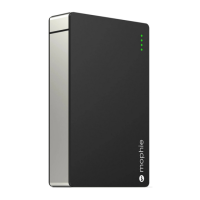
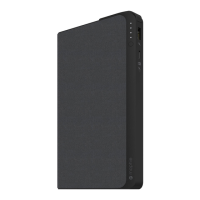
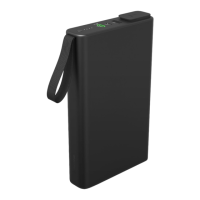
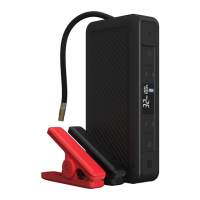
The mophie powerstation go rugged AC is a versatile portable power solution designed for various charging and jump-starting needs, particularly in rugged environments. This device combines the functionality of a portable power bank, a vehicle jump starter, and a floodlight, making it a comprehensive tool for emergencies and outdoor activities.
At its core, the powerstation go rugged AC serves as a rechargeable lithium-ion battery pack capable of providing portable power for electronic devices and jump-starting vehicles. It features multiple output options, including USB ports for charging smartphones, tablets, and other small electronics, as well as an AC output port for powering laptops and other devices that require a standard wall outlet connection. The device is equipped with a digital screen that displays important information such as battery charge percentage, vehicle battery voltage, and temperature indicators.
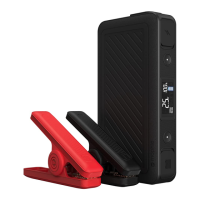
A key function of this powerstation is its ability to jump-start a vehicle. It comes with jumper cables that connect to a dedicated jump-start output. The device incorporates safety checks to ensure correct connection and operation during the jump-start process, providing visual cues like flashing lights and messages on the digital display to guide the user.
Beyond power delivery, the powerstation go rugged AC also includes an integrated floodlight. This floodlight offers multiple modes, including a standard white light, a red emergency light, and an SOS flashing red light, enhancing its utility in low-light conditions or emergency situations.
The powerstation go rugged AC is designed for ease of use, with clear indicators and straightforward controls.
Charging the Powerstation: To charge the device itself, users connect the provided USB Type-C cable to the charging port and then to the wall charging adapter, which plugs into a wall outlet. The digital screen displays the charging percentage, and all five LED battery indicator bars will illuminate solid white when fully charged. The device is designed to charge within a specific temperature range (32°F-113°F or 0-45°C), and a "TEMP" indicator will appear if charging is attempted outside this range. It's important to fully charge the powerstation before its first use.
Jump Starting a Vehicle: The jump-start process involves plugging the jumper cables into the jump-start output, ensuring they are fully seated. The clamps are then attached to the vehicle battery: the red clamp to the positive terminal (+) and the black clamp to the negative terminal (-). The LCD screen will display the vehicle battery voltage once connected. Users then press the "Jump-Start" button and wait for a solid green light, indicating that safety checks are complete. A flashing green light means safety checks are in progress. If the jump start button flashes red and a "SAFETY CHECK FAIL" message appears, it indicates incorrect cable connection. The device also provides troubleshooting tips for common issues, such as a "BATT TOO LOW" message if the powerstation isn't sufficiently charged, or a "TEMP" indicator if the operating temperature is outside the safe range. It's crucial not to use the jump-start function in conjunction with USB charging or AC output.
Charging Electronic Devices (AC Output): For devices like laptops, the AC power plug from the electronic device (rated at 65 watts or less) is connected to the AC output port of the powerstation. The AC Power ON/OFF Button is then pressed and held until a solid white light appears. A flashing white light indicates safety checks, while a flashing red light signifies that the connected device exceeds the 65-watt limit. The powerstation will automatically power off after 30 minutes of inactivity when using the AC output.
Charging Electronic Devices (USB Output): For USB-powered devices, the USB Type-C cable (or the device's own charging cable) is connected to one of the powerstation's USB 5V/2.4A Output ports and then to the electronic device. The USB Power ON/OFF Button is pressed to initiate charging. The USB charging feature will also automatically power off after 30 minutes of inactivity.
Using the Floodlight: The floodlight is activated by pressing and releasing its ON/OFF button. The first press turns on the floodlight, the second press activates the red emergency light, and the third press initiates the SOS flashing red light. The floodlight will automatically turn off after 2 hours of inactivity. It's advised not to look directly into the LED lights.
Proper maintenance ensures the longevity and safe operation of the powerstation go rugged AC.
Storage and Temperature: The device has specific temperature ranges for storage (-4°F – 158°F or -20°C – 70°C), discharge (14°F – 122°F or -10°C – 50°C), and charge (32°F – 113°F or 0°C – 45°C). Operating or storing the device outside these ranges can affect performance and safety. If a "TEMP" indicator appears during use, it's recommended to disconnect the powerstation and allow it to acclimate to the appropriate temperature range.
Cleaning: The powerstation should not be cleaned with harsh chemicals, soaps, or detergents. Instead, a soft cloth should be used to wipe the case.
Port Maintenance: To prevent contamination and ensure proper function, the charging ports should be kept free of lint or other debris. Periodically using a canned-air type of product can help keep the port openings clear.
General Care: The device should be kept dry and away from moisture, corrosive materials, and heat sources. It should not be exposed to fire or excessive temperatures above 212°F (100°C). Dropping or subjecting the device to strong impacts should be avoided, and it should not be punctured, crushed, or subjected to mechanical shock. Disassembly of the powerstation is not recommended as it contains no user-serviceable parts.
Battery Disposal: Batteries should be recycled or disposed of according to state and local guidelines. The product is marked with the WEEE symbol, indicating it should not be disposed of with other waste but handed over to an approved re-processor or returned to mophie for reprocessing.
By adhering to these usage and maintenance guidelines, users can ensure the safe and effective operation of their mophie powerstation go rugged AC.
 General
| Brand | Mophie |
|---|---|
| Model | MPSGRGD-AC55500 |
| Category | Battery Pack |
| Language | English |


 To Next Page