
 Need help?
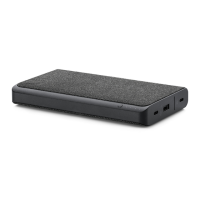
Do you have a question about the Mophie snap+ juice pack mini and is the answer not in the manual?
Illustrates connecting the juice pack to a power source via adapter.
Shows how to check the remaining battery charge using LED indicators.
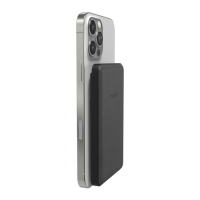
Demonstrates how to magnetically attach the juice pack to a compatible phone.
Illustrates placing the phone and juice pack on the stand for wireless charging.
Shows how to connect the juice pack to a phone using a cable for charging.
Details the two-year warranty and registration process.
Provides contact information for customer support.
Covers warnings on heat, enclosure, impacts, disassembly, and disposal.
Details RF exposure compliance, automatic power off, and modification warnings.
Explains FCC/IC rules, interference, and shielded cable requirements.
 General
| Wireless Charging | Yes |
|---|---|
| Connector Type | USB-C |
| Wireless Charging Output | 7.5W |
| Wired Charging | Yes |
| Battery Capacity | 5000mAh |
| Compatibility | MagSafe compatible iPhones |
| Input | USB-C input |
| Output | USB-C: 5V/3A |



 To Next Page