41
FAQ
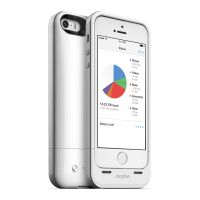
How does the space pack interface work?
The space pack interface is a free iOS app called
the mophie Space App. It allows you to access and
manage the files you store in your space pack.
How do I add stuff to my space pack?
There are three ways to add items to your space pack:
• Transfer items from your iPhone into your
space pack. You can transfer items from the
iPhone Camera Roll, attachments from emails
you have saved in your iPhone (press and hold
on an attachment; choose “Open in” and select
“Space App”) or items via 3rd-party apps on
your iPhone (tap “Share” on an item; tap “Open
In” and select “Space App”).
• Transfer items from your computer into your
space pack. Use the included micro USB cable to
connect your space pack to your computer, then
use Windows Explorer (PC) or the Finder (Mac)
to transfer files the same as you would transfer
them to a thumb drive. (When you connect the
space pack to the computer it will show up as a
removable drive named “SPACE PACK.”)
• Use the Space App’s camera function to take
photos. Those photos are automatically saved
directly into the space pack’s “DCIM” folder.


 To Next Page