86
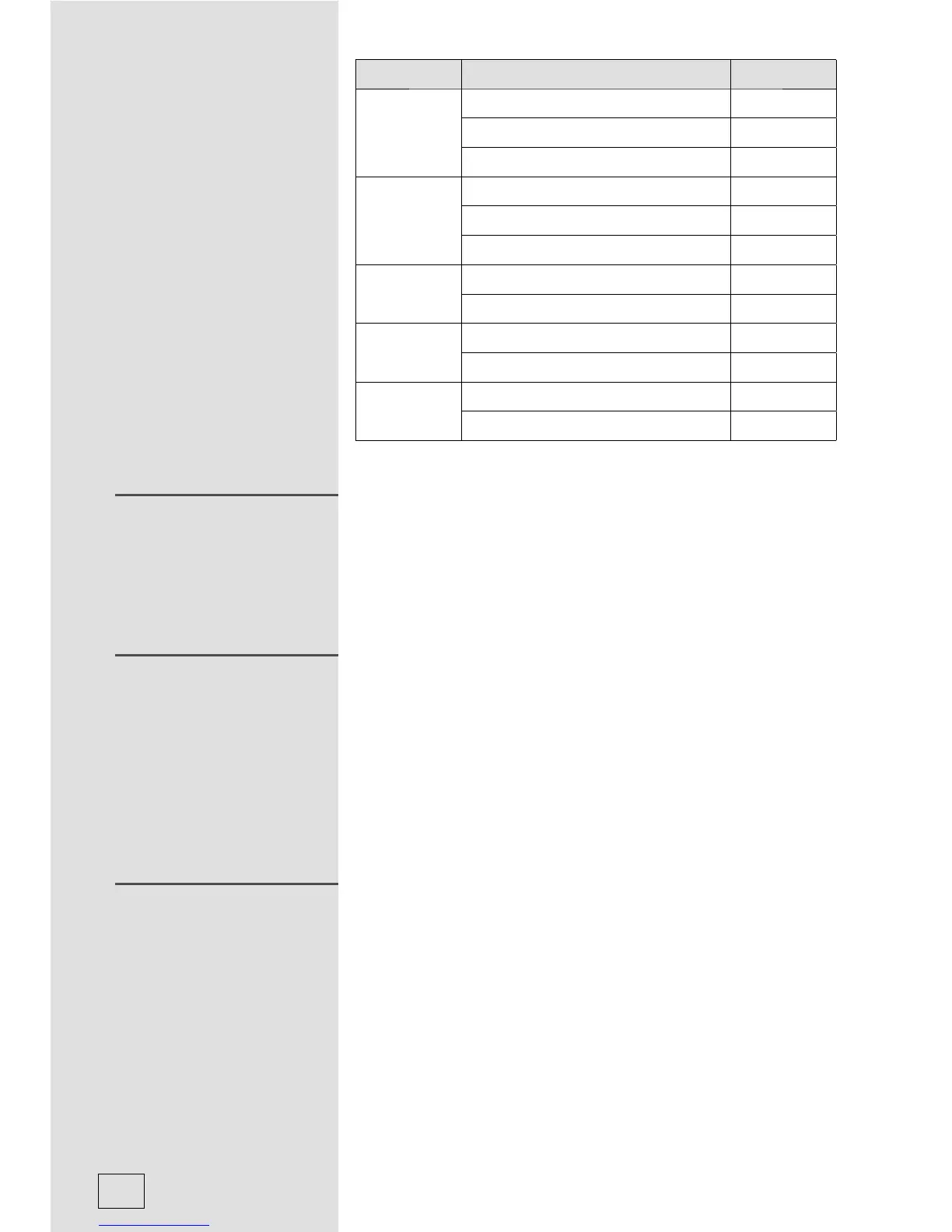
Menu Weight Display
A-4
Vegetable
200g 200
300g 300
400g 400
A-5
Fish
250g 250
350g 350
450g 450
A-6
Pasta
50g (with water 450g) 50
100g (with water 800g) 100
A-7
Soup
200ml 200
400ml 400
A-8
Porridge
550g 550
1100g 1100
1) Press “Auto Reheat” and LED will display “200”
2) Press “Auto Reheat” more timer or turn “Jogger” to
choose weight of food. You can select 200, 400 or
600g.
3) Press “Start” to start cooking.
Lock: In waiting state, press »Stop/Clear« for 3 seconds,
there will be a long »beep« denoting entering the children-
lock state. The screen will display curreng time if clock has
been set. Otherwise, the screen will display [ _ _ ].
Lock quitting: In locked state, press »Stop/Clear« for 3
seconds, there will be a long »beep« denoting that the lock
is released.
1) In cooking states of microwave grill and combination,
press »Microwave«, the current power will be displayed
for 2-3 seconds.
2) During cooking state, press »Clock« to check the
current time. It will be displayed for 2-3 seconds.
REHEAT
LOCK-OUT FUNCTION
FOR CHILDREN
INQUIRING FUNCTION



 To Next Page