eero Max 7 Quick Start Guide
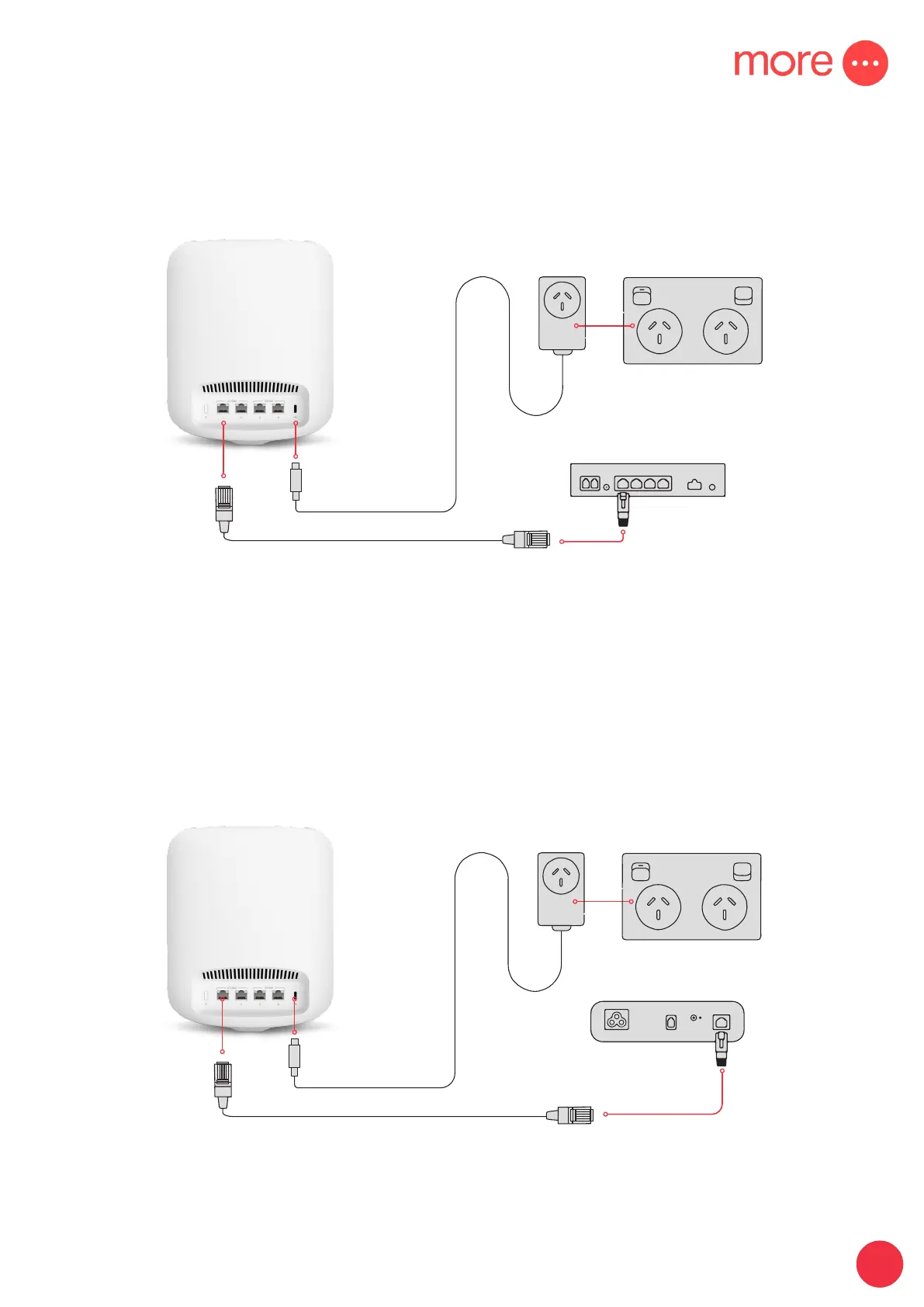
nbn® CONNECTION BOX
USB-C CABLE
POWER
OUTLET
ETHERNET CABLE
Fibre to the Curb (FTTC)
& Hybrid Fibre Coaxial (HFC)
Fibre to the Premises (FTTP)
& Fixed Wireless
nbn® CONNECTION BOX
USB-C CABLE
POWER
OUTLET
ETHERNET CABLE
This will be fixed to your wall
IMPORTANT: You will need to plug the ethernet cable from your eero Max 7 into your Network
Termination Device’s activated Uni-D port. If you are unsure which port has been activated, check
your nbn® Ready to Go email from us.


 To Next Page