EasyManua.ls Logo

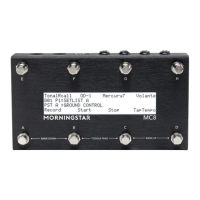
Morningstar MC8 - User Manual

Morningstar MC8
17 pages
Print Icon
To Next Page IconTo Next Page
Loading...
MC8 User Manual (firmware v3.8)
Table of Contents
1 Introduction
2 Power Requirements
3 Connections
3.1 Omniports 1 to 4
3.2 9VDC
3.3 USB
3.4 MIDI In
3.5 MIDI Out
4 Navigation
4.1 Front Panel
4.2 Banks and Presets
5 MIDI Message Types
6 Action Types
7 Programming Switches
7.1 Using the Morningstar Device Editor
7.2 Programming on the Controller Itself
8 Toggle Mode
9 Bank Settings
10 Bank Presets
11 Expression Pedals
11.1 Connecting an Expression Pedal
11.2 Programming an Expression Pedal Preset
11.3 Select Expression Messages to Send or Omit
12 External Aux Switches
13 TRS MIDI Outputs - 1/4 Inch
13.1 Switchable TRS MIDI Configuration
13.2 For Chase Bliss Pedals
14 Copy, Paste and Swap Presets
15 Dual Switch Press Functions
16 Global Settings
17 Useful Concepts and Features
18 Update Firmware
18.1 How to Update your Firmware
18.2 Unsuccessful Firmware Update
19 Using an External MIDI Controller to control the MC8
19.1 MIDI Implementation Charts
Introduction
Question and Answer IconNeed help?

Do you have a question about the Morningstar MC8 and is the answer not in the manual?

Summary

Power Requirements

Connections

Banks and Presets

Programming Switches

Using the Morningstar Device Editor

Details programming switches via the visual Morningstar Device Editor software.

Programming on the Controller Itself

Explains how to program switches directly on the MC8 controller without external software.

Toggle Mode

Bank Presets

Expression Pedals

Programming an Expression Pedal Preset

External Aux Switches

TRS MIDI Outputs - 1;4 Inch

Switchable TRS MIDI Configuration

Explains how to adjust TRS MIDI configurations via menus or Device Editor.

Global Settings

Update Firmware

How to Update your Firmware

Step-by-step guide to download and install the latest MC8 firmware.

Unsuccessful Firmware Update

Troubleshooting steps for firmware update failures, including a reset procedure.

Using an External MIDI Controller to control the MC8

Summary

Power Requirements

Connections

Banks and Presets

Programming Switches

Using the Morningstar Device Editor

Details programming switches via the visual Morningstar Device Editor software.

Programming on the Controller Itself

Explains how to program switches directly on the MC8 controller without external software.

Toggle Mode

Bank Presets

Expression Pedals

Programming an Expression Pedal Preset

External Aux Switches

TRS MIDI Outputs - 1;4 Inch

Switchable TRS MIDI Configuration

Explains how to adjust TRS MIDI configurations via menus or Device Editor.

Global Settings

Update Firmware

How to Update your Firmware

Step-by-step guide to download and install the latest MC8 firmware.

Unsuccessful Firmware Update

Troubleshooting steps for firmware update failures, including a reset procedure.

Using an External MIDI Controller to control the MC8

Morningstar MC8 Specifications

General IconGeneral
BrandMorningstar
ModelMC8
CategoryRecording Equipment
LanguageEnglish