3
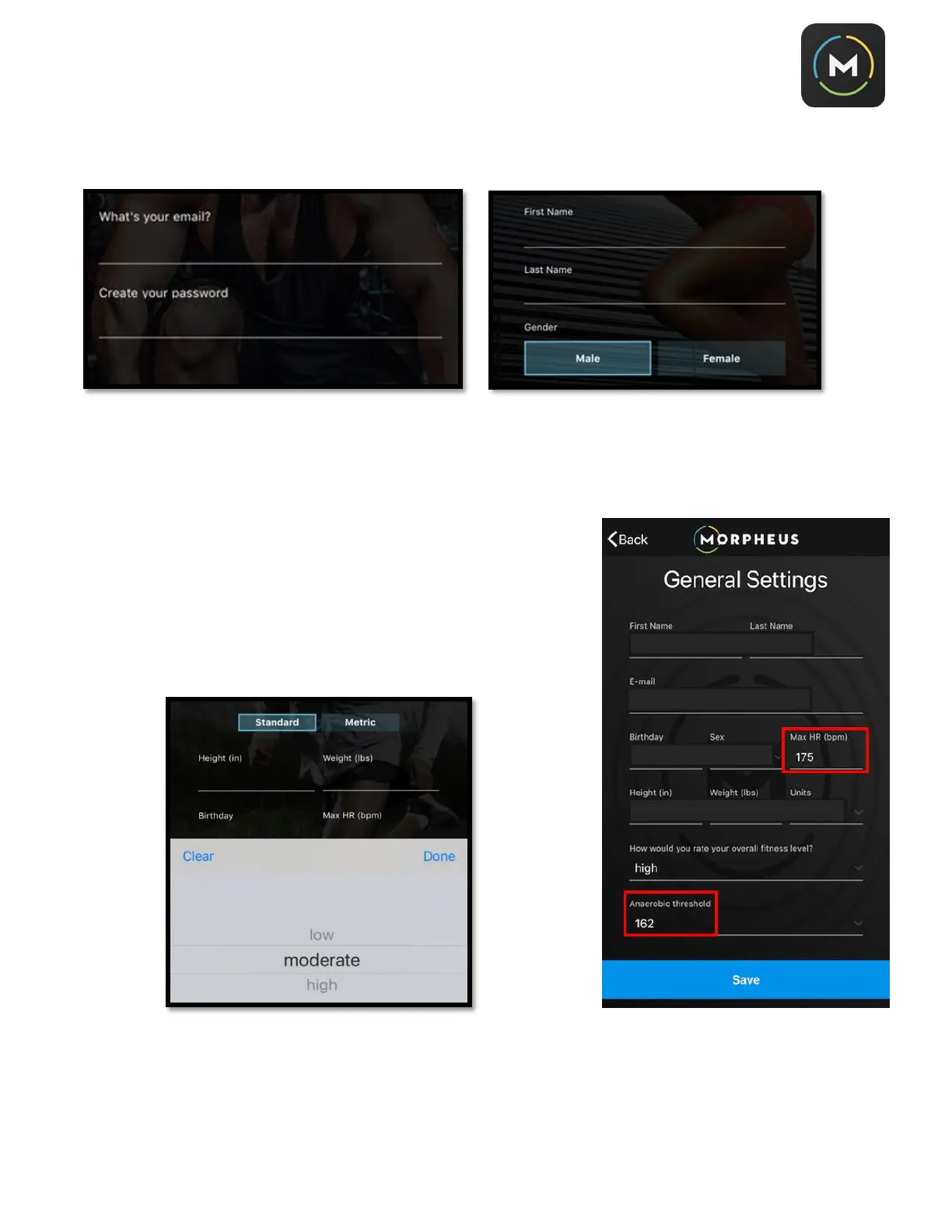
4. Follow the prompts to enter your basic info and create an account password.
5. Enter your fitness stats. If you know your max heart rate, enter it
here. Otherwise, Morpheus will estimate it for you. You will also
need to estimate your general fitness level – low, moderate, or
high. You may also enter your anaerobic threshold if you have
completed an assessment to measure this number. Example
shown to the right.
These settings are used to adjust your heart rate zones
and can be adjusted at any time under “Settings.”



 To Next Page