9
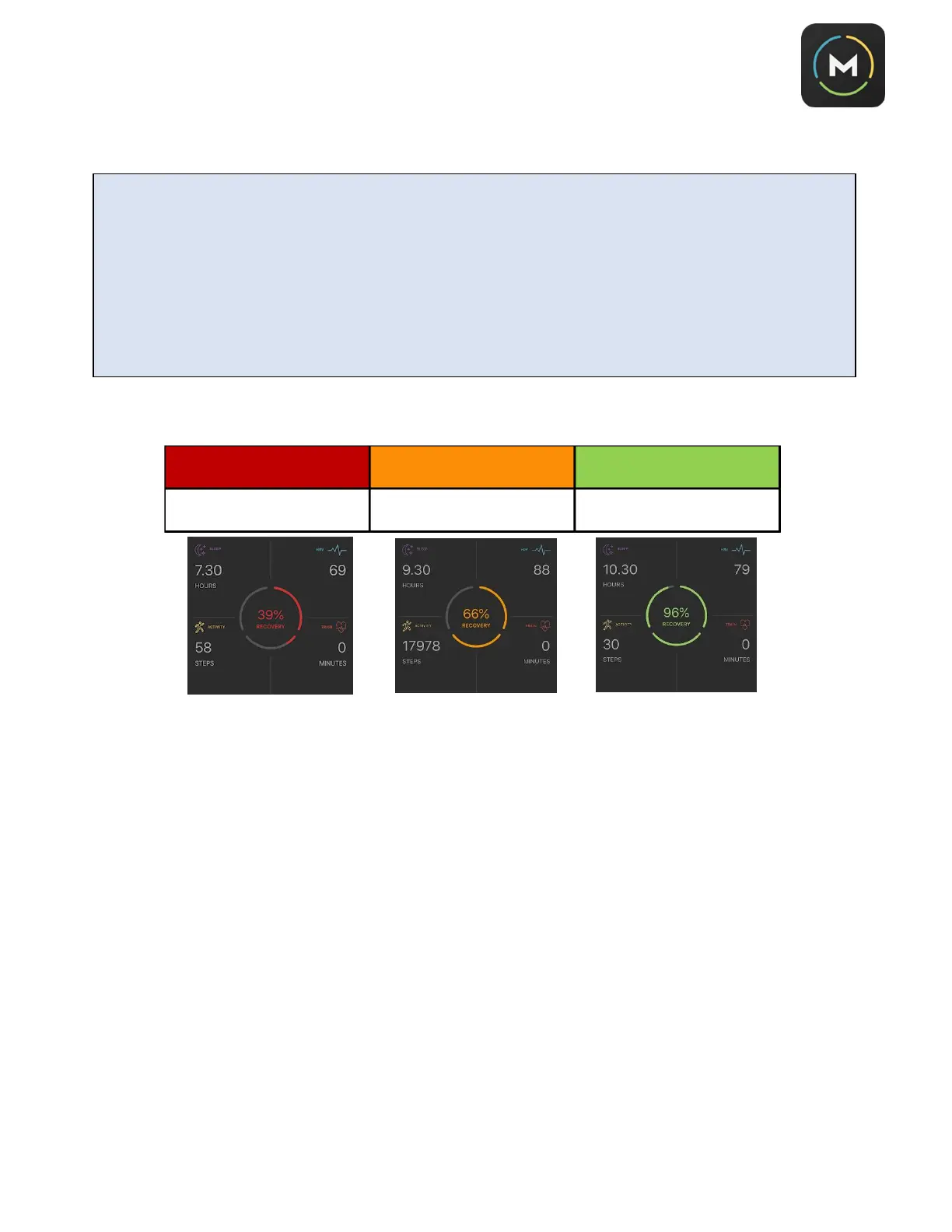
14. Your recover score will appear in the center of the
Track
screen as a percentage (%) of total recovery.
You’ll notice that your recovery score will appear as green, amber, or red. These colors are assigned
based on your total recovery percentage, as follows:
What Determines Your Recovery Score?
The power of Morpheus is in how smart he is and how much he continues to learn about your data the more
you use him. There are several factors that determine your recovery score. Below is an overview.
HRV sets the range of possible recovery score %. It is always using a rolling 10-day average HRV number.
Then the other factors slide recovery score up and down within that range.
For example, if you are one standard deviation away from your 10-day rolling HRV average, then that’s going
to be a range from about 65% up to 80% recovery. Where you fall within that range depends on all the other
variables. Sleep amount and quality along with the previous day’s training session (it looks at the post-
workout recovery adjustment and total time) play the biggest role, with steps and subjective markers of
fatigue and such playing a smaller role. The weighting also changes a bit based on the consistency of HRV
measurements. If you have only taken 3 HRV measurements in the last 10 days, it’s going to create a bigger
range of possible recovery scores and more heavily weight the other data.
HRV will always be the single biggest factor in your recovery score because it should reflect stress as a whole,
but the other variables added together can typically swing it 10-20% or so. If your HRV was normal, but you
had a really hard training session the day before, your sleep was bad, you reported a high level of soreness,
etc., then you could get down to the 80% range. If your HRV was far away from average but you report that
you feel great, it would depend on how far away from average the HRV was, but good marks on all the other
variables would definitely prevent the recovery score from dropping too far.
IMPORTANT: Initially, your recovery score may appear as “100%.” Morpheus will take 5-7
days of consistent use to establish your personal baseline. The more data Morpheus
collects, the more accurate he’ll become. Note that if you stop using Morpheus for more than 7-
10 days, you’ll need to re-establish your baseline.
IMPORTANT: It’s generally best (though not required) to take the recovery test in the morning,
if possible, before taking any caffeine or other stimulants. You can take the recovery test lying
down or seated, but
you must be
in the same position each time
for the most accurate recovery
score.



 To Next Page