
 Need help?
Do you have a question about the Morphie Charge Force Powerstation Mini and is the answer not in the manual?
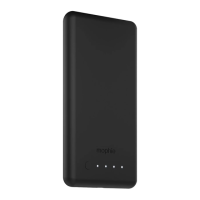
Highlights high-density battery, magnetic attachment, and priority pass-through charging capabilities.
Details compatibility with mophie cases featuring charge force wireless power.
Instructions on how to align and connect the powerstation mini to a mophie case for charging.
Press the status button for 3 seconds to begin wireless charging, ensuring proper alignment.
Guidance on using the micro-USB port and a USB wall adapter to recharge the powerstation battery.
Explains how the battery prioritizes charging the connected device before recharging itself.
How to check the battery's charge level using the integrated four-light LED status indicator.
Instructions on keeping the battery dry, clean, and its port free from debris.
Information on the 2-year warranty, registration, and proof of purchase requirements.
Details on what the limited warranty does not cover, including consequential damages.
Provides telephone numbers and website for customer support inquiries.
Consult doctor/manufacturer if you have implanted electrical devices due to magnets.
Fully charge the battery before first use to ensure all status LEDs light up.
Avoid high temperatures, direct sunlight, and enclosed spaces; operate in open-air.
Handle with care to avoid damage. Discontinue use if damaged and contact manufacturer.
Statement on compliance with FCC Part 15 and RSS-Gen rules for radio frequency emissions.
Measures to correct harmful interference to radio or television reception.
Warning that any changes or modifications to the device could void the warranty.
 General
| Brand | Morphie |
|---|---|
| Model | Charge Force Powerstation Mini |
| Category | Power Supply |
| Language | English |

 To Next Page