11
Taking care of your powerstation battery
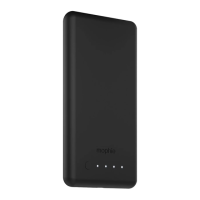
• Keep your charge force powerstation mini
battery dry and away from moisture and
corrosive materials.
• Do not clean your charge force powerstation
mini battery with harsh chemicals, soaps or
detergents. Just wipe the case with a soft,
water-dampened cloth.
• Make sure the charge force powerstation
mini battery’s USB port does not become
contaminated with lint or other debris. Use
a canned-air type of product periodically to
ensure that the port opening is clear.
• If you plan on putting your charge force
powerstation mini battery away, fully charge it
rst (so that pressing the status button lights all
4 charge status LEDs).
Warranty
At mophie, we are dedicated to making the best
quality products. To back this up, this product is
warranted for 2 years from date of purchase. This
warranty does not aect any statutory rights that
you may be entitled to. Keep a copy of your purchase
receipt as proof of purchase. Be sure to register your
product at mophie.com. Failure to register your
product and/or provide proof of purchase may void
the warranty.


 To Next Page