8
Using Your Health Fryer Manually (Continued)
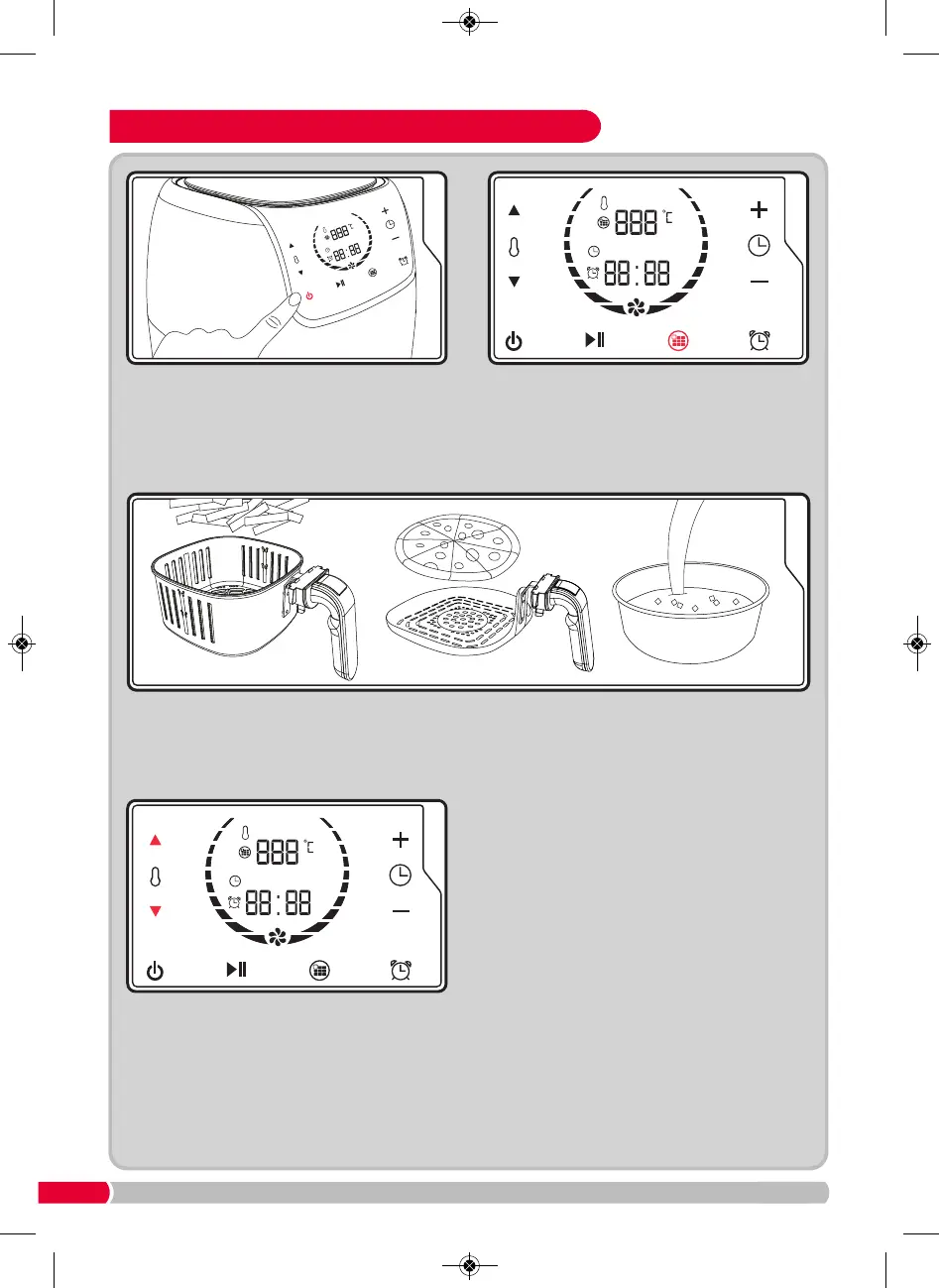
Press the Program Button
(G)
and select
program 1 within the pre-programmed
settings. This will activate the pre-heat
function. When the pre-heat is complete, it will
automatically switch off the Health Fryer.
Remove the Drawer (4) from the Health Fryer (see Step 1).
Place the food into
the Frying Basket (10), Frying Pan (11) or Cake Tin (12) and repeat Step 3.
Do not put oil or food into the Drawer (4).
Press and hold the On / Stop Button
(E)
until
the Touch Control Panel
(2)
illuminates.
Repeat step 5 to switch back on. Using the
Temperature Adjust Buttons
(A & B)
, select the
correct temperature for the food to be cooked.
The temperature will be set at 180°C, and the
time at 10 minutes as an automatic default.


 To Next Page