9
Using Your Health Fryer Manually (Continued)
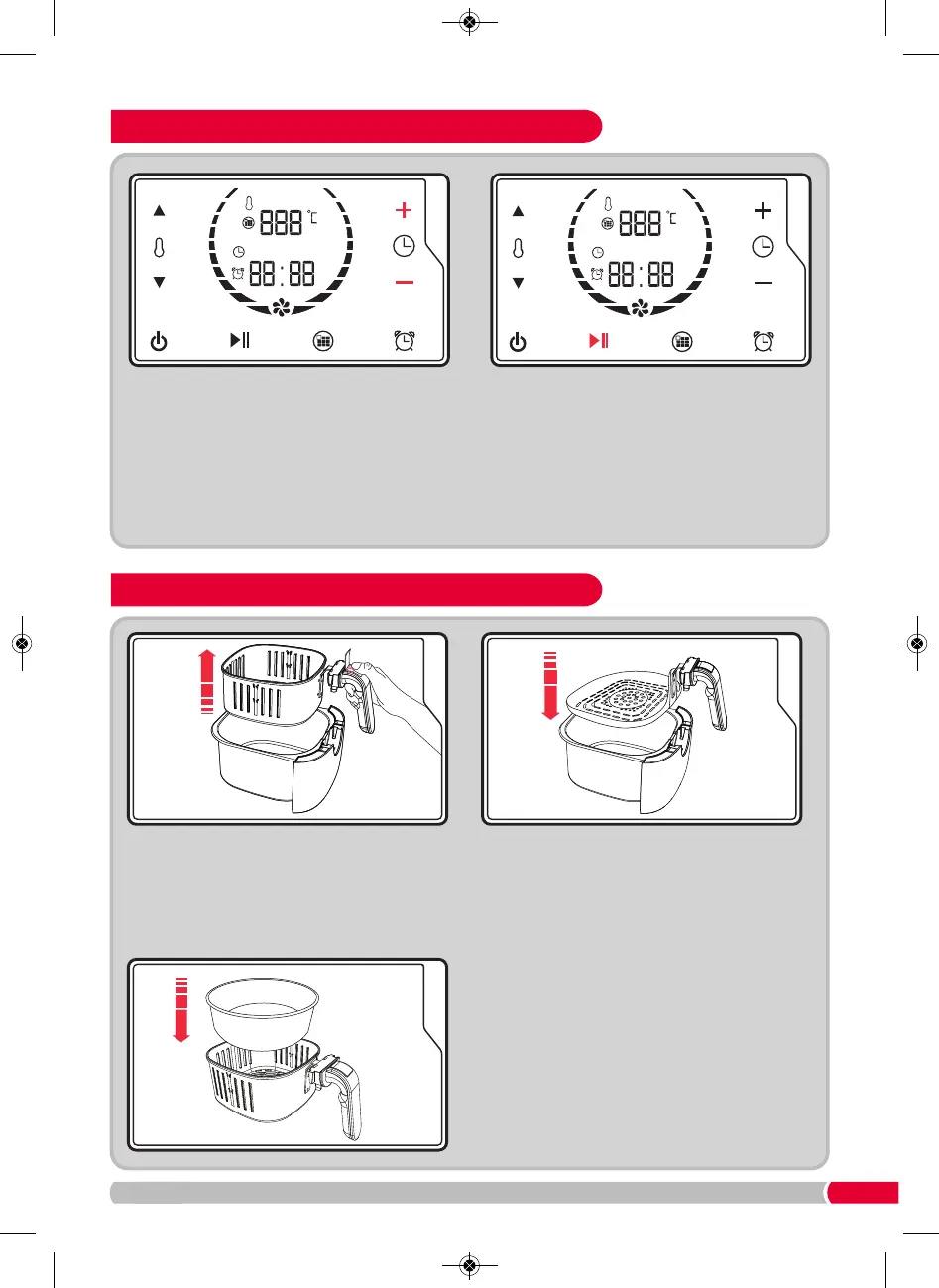
Using the Time Adjust Buttons
(C & D)
, select
the desired time for the food to be cooked.
Press the Start / Pause Button
(F)
and the
Health Fryer will begin cooking your food.
When the time is up on the timer, the Health Fryer will beep and automatically turn off.
If the food is not cooked to your desired requirements, repeat Steps 7-10.
Tip: Check your food at two minute intervals to ensure food is not overcooked.
Either remove the entire basket (see Step 2), or carefully use plastic or wooden utensils to remove
your food.
Using Your Health Fryer Accessories
Remove the Frying Basket (10) from the Main
Drawer (4) by lifting the Basket Release Button
Cover (5) and pressing the Basket Release
Button (6). Use the Frying Basket Handle (7) or
Frying Pan Handle (7) to pull the basket fully
out from the Drawer.
To use the Cake Tin
(12)
. Place the Cake Tin
(12)
into the Frying Basket
(10)
before re-inserting
the Drawer (4) into the Main Body
(3)
.
Place the Frying Pan (11) into the Drawer
(4)
and
re-insert the Drawer
(4)
into the Main Body (3)
until it clicks into place. Ensure the Drawer
(4)
is
fully closed. A safety switch will prevent it
working if not closed properly.
DF480002 MUK Rev2.qxp_Layout 1 14/03/2017 11:16 Page 9


 To Next Page