5
Before using the digital
slow cooker for the first
time
1 Remove all labels and tags from
t
he product.
2
Wash the crock pot and glass lid in
hot soapy water, with a sponge or a
d
ish cloth, rinse thoroughly and dry.
W
ARNING : Do not immerse the
slow cooker base in water.
Please note
D
uring initial use you may notice a
slight odour due to the burning off
of manufacturing residues. This is
completely normal and will
disappear after a few uses.
Instructions for use
1 Place the base ‹ on a dry, level,
heat resistant surface, away from
the edge of the work surface. Do
not use on the floor.
2 Place the ingredients into the
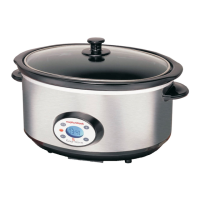
ceramic crock pot ¤, and place the
pot into the base. Cover with the
glass lid. If you need to pre-cook or
brown foods prior to slow cooking,
this must be done in a pan. Do not
try to brown or pre-cook food in a
slow cooker.
3 Plug the slow cooker into the
mains socket.
Quick start
• When plugged in, the red LED will
glow and the unit will display ''
06:00 '' as the default cooking time.
•
If the recipe calls for 6 hours
cooking time, simply press O/I
a
nd cooking will begin. The green
LED will glow to show that cooking
has begun.
• During the cooking process, the
d
isplay will count down minute by
minute to the keep warm time
w
hen your meal is ready to eat.
''WARM'' will then be displayed,
t
o indicate that the cooking process
has stopped and the unit is on
k
eep warm.
•
Please follow the timings in the
recipes provided for recommended
cooking durations.
Adjusting the cooking
time
• If the recipe calls for an alternative
cooking time, follow this procedure
to adjust the cooking time.
Please note:
Cooking time can be adjusted to
between 4 and 12 hours.
4 Press the SET button, (numbers
will flash).
5 Press + to increase the cooking
time in hours or - to decrease
cooking time until the desired
cooking time
is shown.
6 Press the SET button again to
adjust the cooking time by minutes
in the same way as above, (time
advances in 10 minute increments).
7 Press the SET button again,
(numbers stop flashing) and press
O/I when you are ready for cooking
to begin. The LED will glow green to
indicate that cooking has begun.
g
Unit is plugged in and
the default cooking time
is showing.
Unit is cooking and there is
2 hours and 30 minutes left
to cook.
The unit has finished cooking
and is on keep warm.
The meal is ready.
48730MCZ Rev1-DigitalSlowCooker-Q6:9225 47507 MEE pump - Jon 7/1/08 10:20 Page 5



 To Next Page