UK Helpline 0844 871 0960 Replacement Parts 0844 873 0726 Ireland Helpline 1800 409 119
2
Please also refer to the main
instruction booklet, which contains
important safety information and
more d etail on how to use Flavour
Savour.
This guide tells you how to use the
Flavour Savour to seal / brown
approximately 1kg of meat and then use
the 1:30 hour stew or 8 hour slow cook
programme. For all other programmes,
please see the full instructions.
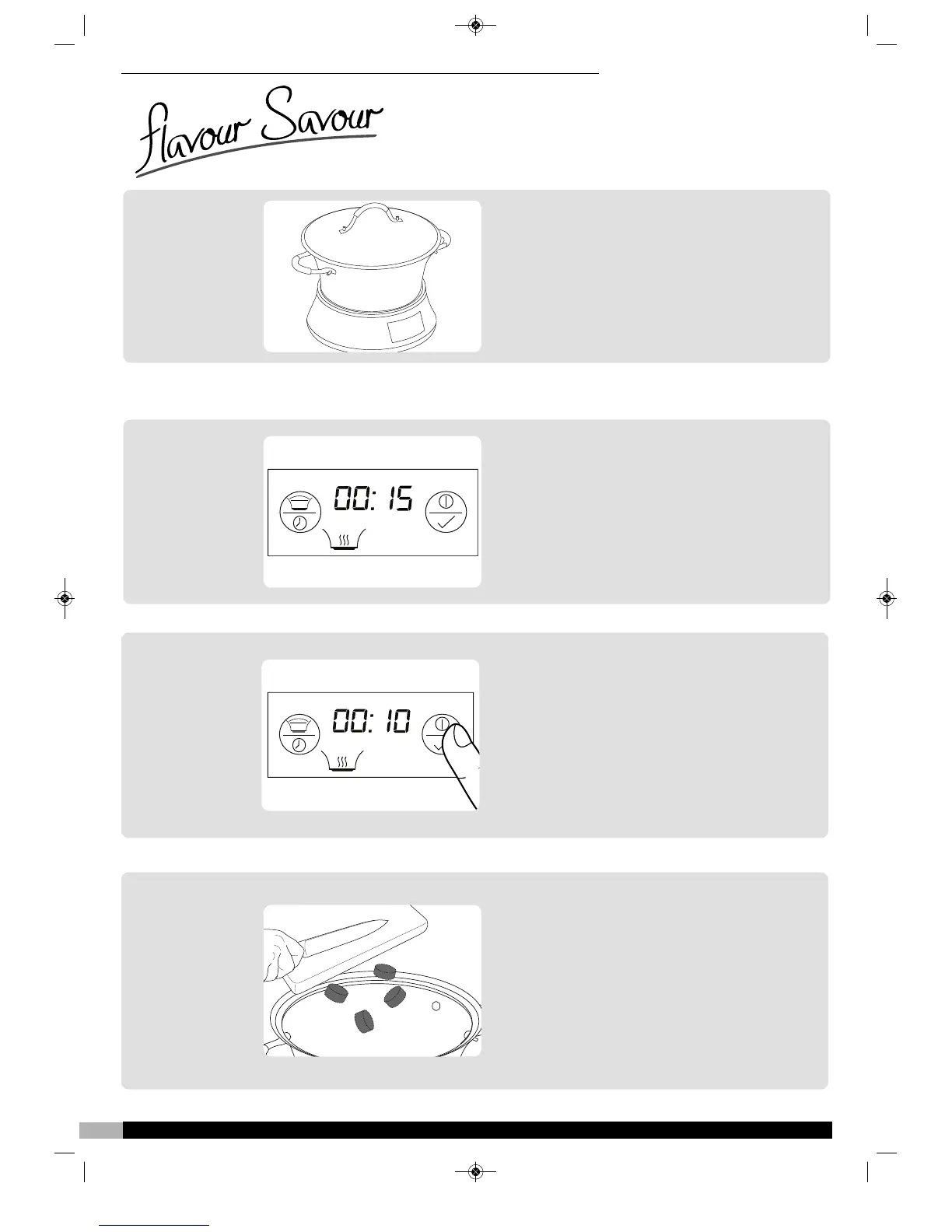
Place the pan ‹ on to the base unit fi,
plug the Flavour Savour in.
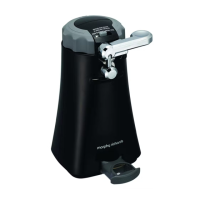
The display will show the default screen
(left.) The Seal / Brown icon ‰ and time
display ‚ will be flashing.
Add an appropriate amount of oil to the
pan for the quantity of meat you wish to
seal.
1
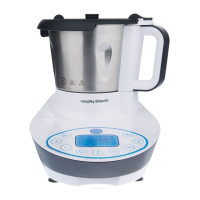
Press the ‘Accept’ button „. The Flavour
Savour will beep for approximately 2
seconds and the display will stop flashing.
The pan will then start to heat up and the
timer ‚ will begin to countdown. The oil
will take approximately 5 minutes to reach
the correct temperature for
sealing/browning meat (i.e. when the timer
reads 00:10)
2
Easy set-up guide
To Use the Seal / Brown Function
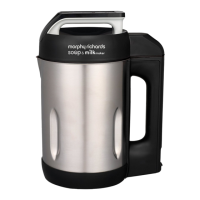
Add the meat to pan and stir regularly until
the outside of the meat is sealed/browned.
When the timer reaches zero, the base will
beep and the cooking process will stop. If
your meat is sealed before the 15 minutes
is up, hold down the ‘Accept’ button „ for
approximately 3 seconds. The base will
beep and the cooking process will stop. If
you need to continue, repeat the process
from stage 2 above.
3






 To Next Page