EasyManua.ls Logo

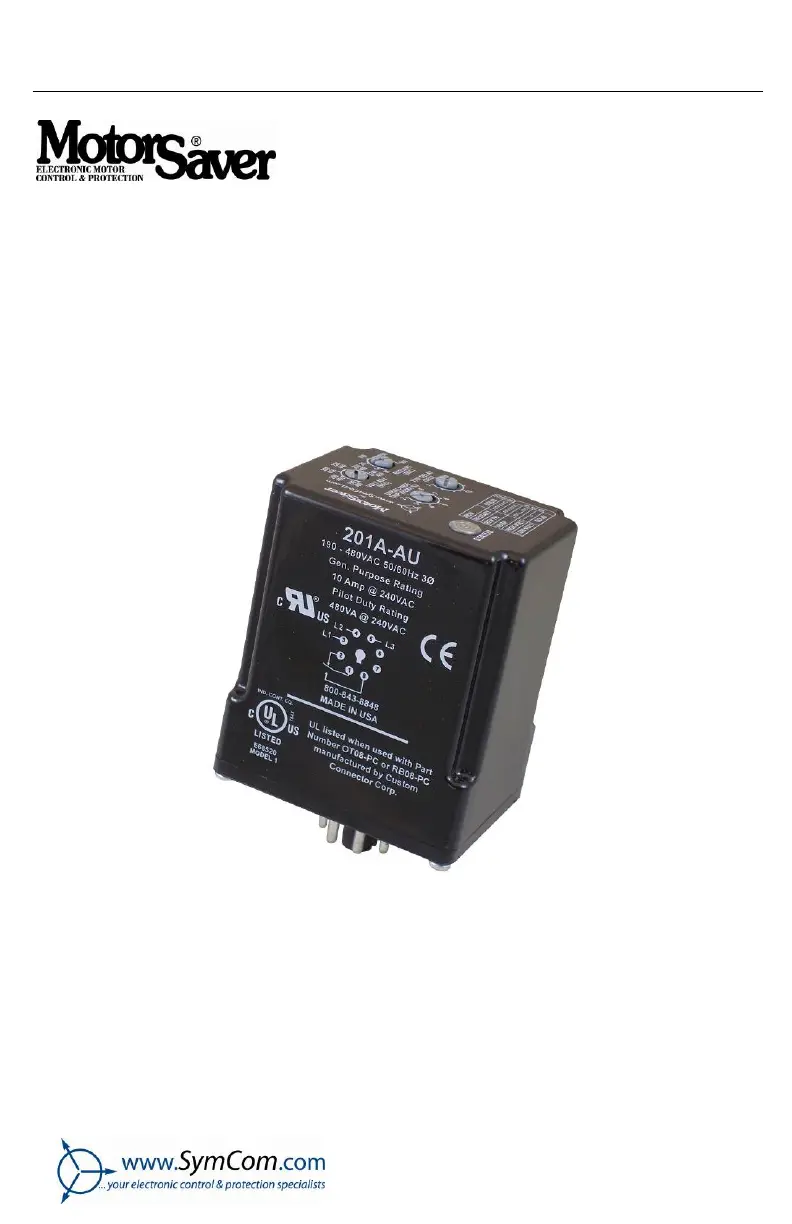
Motor Saver 201A-AU - User Manual

Motor Saver 201A-AU
12 pages
Print Icon
To Next Page IconTo Next Page
Loading...
INSTALLATION
INSTRUCTIONS
2880 North Plaza Drive, Rapid City, South Dakota 57702
(800) 843-8848 · (605) 348-5580 · fax (605) 348-5685
MODELS 201A-AU
201-575-AU
Revision B1
Rapid City, SD, USA, 02/2010
II_201A-AU_B1

Questions and Answers

  • R
    rosalessusanJul 26, 2025
    What to do if the red light is blinking on Motor Saver Accessories after the motor has been running?
    • B
      Brian RamosJul 26, 2025
      If the red light is blinking on your Motor Saver Accessories after the motor has been running, it indicates that the incoming lines have been reverse-phased. To resolve this, you should correct the phase sequence.
  • D
    Dr. Janice Pope DDSJul 30, 2025
    Why is the green light on Motor Saver 201A-AU on steady, but the motor does not start?
    • J
      Jason BoydJul 30, 2025
      If the green light is steadily on, but the motor isn't starting, the MotorSaver® is in run mode. Make sure other control devices are allowing the motor to start. Also, check the control circuit for any loose wires or switches that might be malfunctioning.
  • H
    Heather BrownAug 4, 2025
    What to do if the red light is on steady on Motor Saver Accessories?
    • M
      Michael WilliamsAug 4, 2025
      If the red light is steadily on, it indicates that the voltage is low. Measure the three line-to-line voltages and calculate the average. If the average voltage is 7% below the nominal voltage as selected by the LINE VOLTAGE ADJUST setting, the MotorSaver® is functioning properly. If the voltage is within 7%, call SymCom at (800) 843-8848 or (605) 348-5580.
  • W
    wknightAug 8, 2025
    How to fix a blinking red light on Motor Saver 201A-AU Accessories upon initial power-up?
    • A
      Ashley ShawAug 8, 2025
      If the red light is blinking when you initially power up your Motor Saver Accessories, turn off the 3-phase power. Then, swap any two leads powering the MotorSaver® (L1, L2, or L3). Reapply 3-phase power.
  • L
    longvanessaAug 12, 2025
    What to do if the red light is blinking on Motor Saver 201A-AU in this pattern?
    • W
      Whitney SteeleAug 13, 2025
      If the red light is blinking in a specific pattern, it indicates that the voltage is high. Measure the three line-to-line voltages and calculate the average. If the average voltage is 7% above the nominal voltage as selected by the LINE VOLTAGE ADJUST setting, the MotorSaver® is functioning properly. If the voltage is within 7%, call SymCom at (800) 843-8848 or (605) 348-5580.
  • K
    Kristin SmithAug 16, 2025
    Why is the green light blinking and the motor is not running on Motor Saver Accessories?
    • R
      Robert VasquezAug 16, 2025
      If the green light is blinking but the motor isn't running, the MotorSaver® is either timing through the restart delay and will energize its contacts when finished, or the MotorSaver® is in manual reset mode and requires a manual reset to energize its contacts.
  • M
    Mr. Paul MortonAug 21, 2025
    How to troubleshoot when no lights are on and the Motor Saver Accessories unit seems completely dead?
    • K
      Kristin ReevesAug 21, 2025
      If no lights are on and the unit seems completely dead, verify L1, L2 & L3 are connected to terminals 3, 4 & 5. Measure the three line-to-line voltages. If any of the voltages are below the specified operating voltage, the MotorSaver® does not have enough power to operate its internal electronics. If the voltages are correct, call SymCom at (800) 843-8848 or (605) 348-5580.

Summary

Installation Instructions

Connections

Step-by-step guide for wiring the MotorSaver unit into the motor control circuit.

Settings

Setting Adjustment Controls

Guide to adjusting Line Voltage, Restart Delay, Trip Delay, and Voltage Unbalance settings.

Voltage Unbalance Calculation

Explains the NEMA MG1 formula for calculating % voltage unbalance with an example.

Operation

Automatic Reset Mode

How the MotorSaver operates in automatic reset mode after a fault.

Manual Reset Mode

How the MotorSaver operates in manual reset mode and requires manual intervention.

Troubleshooting

Dead Unit; No Lights

Diagnosing issues when the unit shows no power or activity.

Initial Power-up Faults

Troubleshooting initial power-up issues, including dead unit and blinking red light.

Phase and Voltage Faults

Troubleshooting issues related to phase reversal, unbalance, and voltage levels.

Operational Status Issues

Diagnosing problems when the motor is not running or not starting correctly.

Dimensions

Specifications

Functional Characteristics

Details trip/reset points for low voltage, high voltage, and voltage unbalance.

Input Characteristics

Specifies line supply voltage and frequency requirements for the unit.

Output Characteristics

Defines the contact rating for pilot duty and general purpose applications.

General Characteristics

Covers environmental, safety, dimensions, weight, and mounting specifications.

Motor Saver 201A-AU Specifications

General IconGeneral
BrandMotor Saver
Model201A-AU
CategoryAccessories
LanguageEnglish