22 Setup The Camera In Router Mode
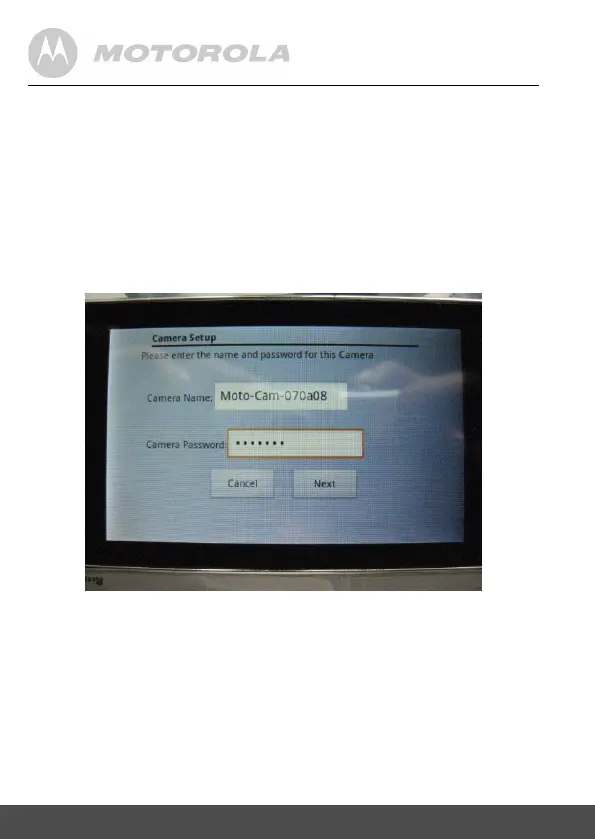
5.12 Seectthecamera(e.g.Moto-Cam-070a08)in
thelist.Thenyouneedtoenterthepasswordof
theCamera.Atthismomentforthis
Demosoftware,youcouldenteranythinglonger
than5characters.Inactualproductionunit,
eachcamerawillhavedifferentpassword
markedonthelabelstickedatthebottom
cabinet.
Then press [Next] to continue


 To Next Page
 Loading...