24 Setup The Camera In Router Mode
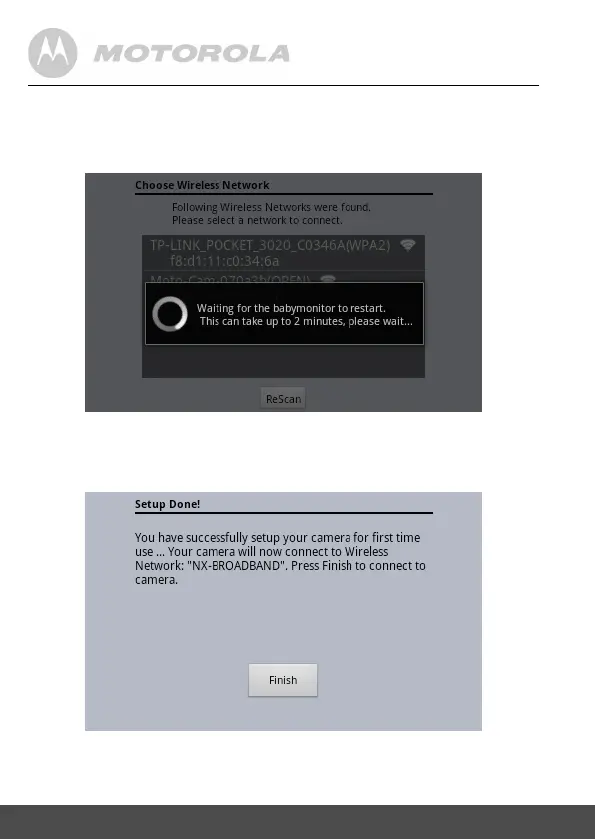
5.15 Thentheunitwillstarttocongurethecamera
toconnecttotheBinatoneServerunderyour
useraccountthroughtheselectedWiFinetwork.
5.16 Afteronetotwominutes,theSetupisDone
asshown.Press[Finish]toviewtheCamera
listavailable.


 To Next Page
 Loading...