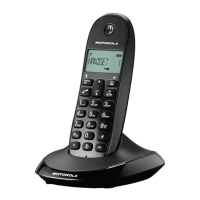
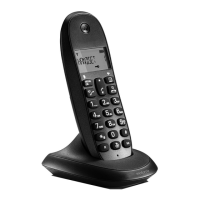
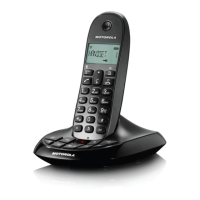
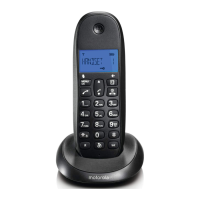
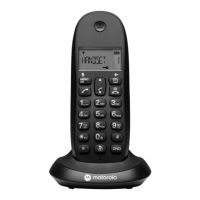
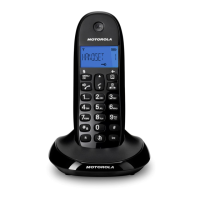
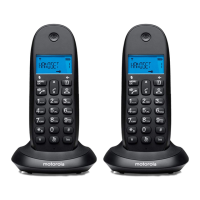
The Motorola C1001CB+, C1002CB+, C1003CB+, and C1004CB+ are digital cordless telephones designed for home or small office use, offering a range of features for communication and convenience. This quick start guide provides essential information for setting up and using the device, with a full user guide available via a QR code for detailed instructions.
Function Description:
The Motorola C1CB+ series is a digital cordless telephone system. It consists of a cordless handset and a base unit, with multi-pack options including additional handsets and chargers. The primary function is to facilitate voice communication over a telephone line, offering both standard call capabilities and hands-free operation. The system supports internal calls between registered handsets and call transfers, making it suitable for multi-handset environments. Key features include a phonebook for storing contacts, a redial list, a calls list, and various menu options for customization. The device also incorporates ECO MODE and ECO PLUS features for energy efficiency.
Important Technical Specifications:
- Battery: The handsets use 2 x AAA Ni-MH rechargeable battery cells, specifically 300mAh Ni-MH batteries.
- Power Supply: The base unit and charger are powered by a power adaptor, which connects to a wall socket.
- Connectivity: The base unit connects to a telephone line via a supplied telephone line cord and to a power source via a power adaptor. The charger (for multiple packs) also requires a power adaptor.
- Display: The handset features an LCD display that shows various icons, handset name or time, battery status, and call information.
- Keypad: A standard alphanumeric keypad with dedicated function keys for menu, talk/hands-free, end call/exit, redial, phonebook, calls list, intercom, pause, and do not disturb.
Usage Features:
Getting Started:
- Connecting the Base:
- Plug the telephone line cord into the socket marked with a telephone icon on the rear of the base.
- Plug the power adaptor into the socket marked with a power icon on the rear of the base and plug the other end into the wall socket. Switch on the power supply.
- Connecting the Charger (for multiple packs):
- Plug the power adaptor into the socket marked with a power icon on the rear of the charger and plug the other end into the wall socket.
- Charging the Handset:
- Remove the battery cover from the back of the handset.
- Insert the 2 x AAA Ni-MH rechargeable batteries, ensuring correct polarity (+ and - markings).
- Slide the battery cover back into place.
- For first-time charging, place the handset on the charger for at least 16 hours continuously.
- Once fully charged, the battery icon will appear steadily on the display, showing "HANDSET" and the handset number, indicating successful registration to the base.
Handset Overview and Controls:
- Earpiece (A): For listening during calls.
- Display (B): Shows handset status, menu options, and call information.
- Up (C):
- During a call: Increase earpiece volume.
- When ringing: Increase handset ringer volume.
- In standby/menu: Scroll through menu options, redial list, calls list, and phonebook entries.
- Menu / OK / Mute (D):
- Open the menu.
- Select menu options and confirm displayed options.
- During a call: Turn mute on/off.
- Talk / Hands-free (E):
- Switch hands-free on/off during a call.
- Make and receive calls.
- *** / Intercom / Pulse to Tone dialling (F):**
- Dial a *.
- Make internal calls and transfer calls to other registered C1CB+ handsets.
- During a call: Switch between pulse dialling and tone dialling.
- Recall (G): Use with switchboard/PABX services and some network services.
- Redial (H): In standby mode: Open the redial list.
- Phonebook / Delete / Back (I):
- In standby mode: Open the phonebook menu.
- In editing mode: Delete characters and digits.
- Go back to the previous menu level.
- End Call / Exit / Switch Handset on/off (J):
- End a call.
- Exit redial/calls list/phonebook or menu and return to standby.
- Press and hold for 5 seconds to switch off the handset; single press to switch on.
- Calls list / Down (K):
- In standby mode: Open the calls list.
- During a call: Decrease earpiece volume.
- When ringing: Decrease handset ringer volume.
- In standby/menu: Scroll through menu options, redial list, calls list, and phonebook entries.
- Pause / # (L): Press and hold to enter a pause (P) when pre-dialling or storing numbers. Dial a #.
- Keypad lock (M): Press and hold to lock and unlock the keypad.
- Do Not Disturb (N):
- Press to automatically turn on Do Not Disturb.
- Press and hold to enter the call block menu.
- Microphone (O): For speaking during calls.
Display Icons:
- Signal icon: Indicates signal strength.
- ECO MODE is ON: Shows when ECO MODE is active for energy saving.
- ECO PLUS is ON: Shows when ECO PLUS is active for enhanced energy saving.
- Handset ringer is off: Indicates the ringer is silenced.
- Missed call: Indicates a missed call.
- Outgoing call: Steady when making an outgoing call.
- Incoming/Internal call: Flashes to indicate an incoming or internal call.
- Incoming call (calls list): Indicates an incoming call when viewing the calls list¹.
- Outgoing call (redial list): Indicates an outgoing call when viewing the redial list¹.
- Hands-free is on: Indicates hands-free mode is active.
- Menu is open: Indicates the menu is currently open.
- Keypad is locked: Indicates the keypad is locked.
- Alarm is set: Indicates an alarm has been set.
- New voicemail messages: Indicates new voicemail messages received (off when no messages)².
- Phonebook is opened: Indicates the phonebook is open.
- Number longer than 12 digits: Indicates the displayed number exceeds 12 digits.
- Battery status: Scrolls when charging, shows full, partial, low, or flashing (almost discharged).
Base Overview:
- Page (A):
- In standby mode: Press to ring the handset(s).
- Press and hold: Enter registration mode when registering handsets.
Maintenance Features:
- Battery Care: Use only the approved rechargeable Ni-MH battery cells (2 x AAA Ni-MH 300mAh) supplied with your C1CB+. Ensure correct polarity when inserting batteries.
- Cleaning: While not explicitly detailed in this quick start guide, general maintenance for cordless phones typically involves wiping the handset and base with a soft, dry cloth. Avoid using harsh chemicals or abrasive materials.
- Troubleshooting: The quick start guide directs users to the full user guide for a complete explanation of features and instructions, which would include troubleshooting steps for common issues.
Important Notes:
- Caller ID Service and voicemail features may require a subscription from your network operator and may incur additional fees.
- Always use the telephone line cord supplied with the device.

 Need help?
 General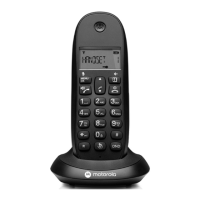

 To Next Page