EasyManua.ls Logo

Motorola C1002 User Manual

Motorola C1002
44 pages
To Next Page IconTo Next Page
Page #1 background imageLoading...
Page #1 background image
Warning: Charge the handset for 24 hours before use.
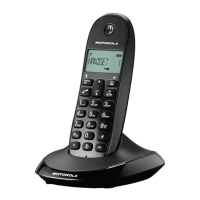
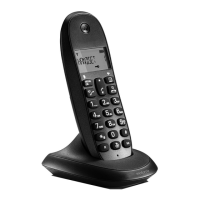
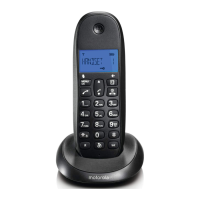
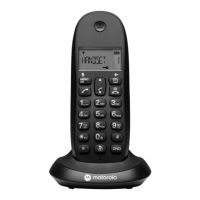
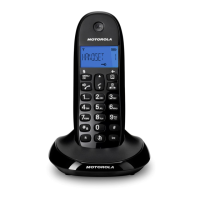
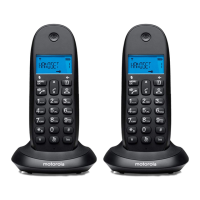
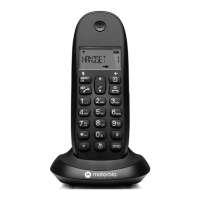
Motorola C12
For C1201, C1202, C1203 and C1204
Digital Cordless Telephone

Table of Contents

Question and Answer IconNeed help?

Do you have a question about the Motorola C1002 and is the answer not in the manual?

Motorola C1002 Specifications

General IconGeneral
TypeDECT telephone
Answering machineNo
Mounting typeDesk
Product colorGray
Buttons quantity21
Phonebook capacity50 entries
Caller IDYes
Redial list capacity10
Volume controlDigital
Standby time200 h
Battery technologyNickel-Metal Hydride (NiMH)
Number of handsets included2

Summary

Getting Started

Location and Placement Guidelines

Advises on optimal placement of the C12 base unit for signal strength and accessibility.

Handset Range and Signal Strength

Explains the operational range of the cordless handset and how signal strength is indicated.

Initial Setup and Handset Charging

Guides on connecting the base, installing batteries, and charging the handset for first use.

Getting to Know Your Phone

Handset Overview and Keypad Functions

Details the physical components of the handset and describes the function of each key.

Handset LCD Display Icons

Explains the meaning of various icons displayed on the handset's LCD screen.

Navigating the Menu System

Guides users on how to access and operate the phone's menu options and settings.

Using the Phone

Basic Call Operations

Covers making, receiving, ending calls, and preparatory dialing.

Adjusting Call Volume and Muting

Instructions for modifying earpiece volume and using the mute function during calls.

Intercom and Hands-free Speakerphone

Details internal calls, call transfers, and using the hands-free speakerphone.

Redial and Keypad Lock

Explains how to use the redial list and lock/unlock the handset keypad.

Paging and Finding Handsets

Instructions on how to locate a misplaced handset by making it ring.

Phonebook Management

Storing and Editing Contacts

Guides on entering, modifying, and managing phonebook entries and ringtones.

Viewing and Dialing Phonebook Entries

Instructions for searching and initiating calls from stored phonebook entries.

Deleting Phonebook Entries

Covers the process of removing contacts from the phonebook.

Handset Settings Configuration

Ringer Volume and Melody Settings

Allows adjustment of ringer volume and selection of different ringtones for calls.

Auto Answer and Handset Naming

Configures automatic call answering and assigns custom names to handsets.

Language and Beep Settings

Sets the display language and controls audible feedback for keys and warnings.

Keypad Lock via Menu

Enables locking the keypad using the handset's menu system.

Base Unit Settings

Base Ringer and PIN Code Management

Adjusts base ringer volume, melody, and manages the base unit's PIN code.

Dial Mode and Recall Settings

Configures dialling mode and recall timing for network compatibility.

Restore Default and Emergency Settings

Resets settings to factory defaults and provides an emergency PIN reset procedure.

Eco Mode Functionality

Enables power-saving mode to reduce transmission power and energy consumption.

Clock and Alarm Functions

Setting Date and Time

Manual configuration of the phone's date and time, or automatic setting via Caller ID.

Setting the Alarm

Instructions for setting a personal alarm on the handset.

Caller ID and Call History

Understanding Caller ID

Explains how Caller ID displays incoming call information, including withheld numbers.

Managing the Calls List

Details viewing, dialing, copying, and deleting entries in the call history.

Using Additional Handsets

Registering Handsets to the Base

Step-by-step guide to pair new or existing handsets with the C12 base unit.

Registering Different Handset Makes

Guidance on pairing handsets from other manufacturers with the C12 base.

Selecting and De-registering Handsets

Covers choosing a base and removing handsets from the base unit registration.

Help and Troubleshooting

Common Problem Resolution

Addresses issues like no dial tone, no display, icon flashes, and keypad problems.

General Information and Safety

Important Safety Precautions

Crucial safety guidelines for using the phone to prevent fire, electric shock, and injury.

Product Disposal and Warranty Information

Information on environmentally responsible disposal and the consumer warranty details.

Technical and Regulatory Compliance

Details on REN, connections, and compliance standards for the telephone.

Related product manuals