EasyManua.ls Logo

Motorola CARE MBP66N - User Manual

Motorola CARE MBP66N
26 pages
Print Icon
To Next Page IconTo Next Page
Loading...
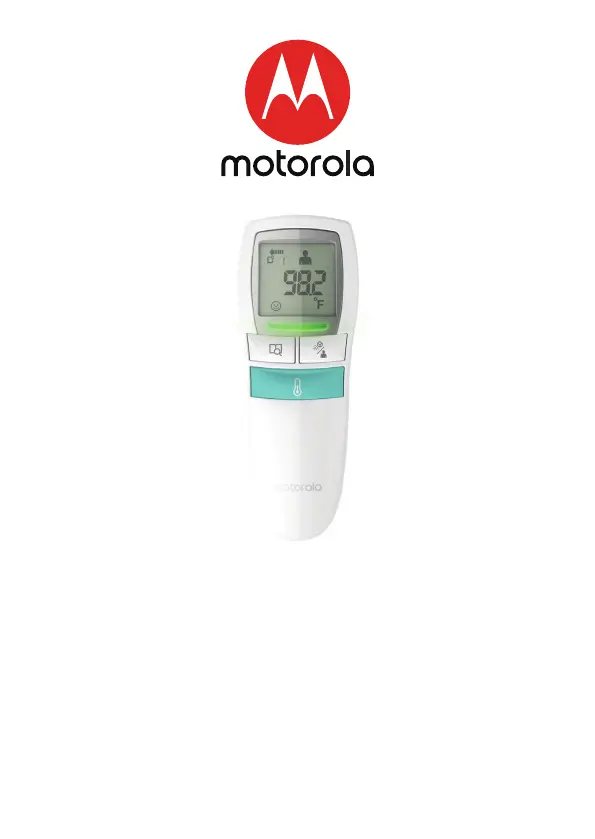
USER’S GUIDE
CARE
3-in-1 non-contact baby thermometer
Model: MBP66N
The features described in this User’s Guide are subject to modifications without prior notice.

Questions and Answers

  • M
    Madison McbrideAug 4, 2025
    Why is my Motorola CARE MBP66N Thermometer not working in the correct temperature range?
    • J
      Jon ClarkAug 4, 2025
      If your Motorola Thermometer is displaying an incorrect operating temperature, make sure to use the thermometer only within the range of 160C~400C (60.80F~1040F).
  • A
    Arthur GriffinAug 9, 2025
    What to do if my Motorola CARE MBP66N infrared sensor is not clean?
    • B
      brownkatieAug 9, 2025
      If you suspect the infrared sensor of your Motorola Thermometer is dirty, clean it with a cotton swab, following the instructions in the user manual.
  • P
    Paul MartinAug 14, 2025
    What to do if my Motorola CARE MBP66N Thermometer gives inaccurate readings?
    • C
      Chelsea RomeroAug 14, 2025
      To ensure accurate readings with your Motorola Thermometer, keep both the thermometer and the patient in the measuring room for a minimum of 30 minutes before use, allowing them to stabilize to the room's temperature.
  • J
    Julia PhillipsAug 19, 2025
    How to ensure correct measurement with Motorola CARE MBP66N Thermometer?
    • A
      Amy FrySep 12, 2025
      To ensure you are getting accurate readings from your Motorola Thermometer, review the manual to confirm you are using the proper measurement technique.
  • Z
    zphillipsAug 25, 2025
    Why does my Motorola CARE MBP66N only work indoors?
    • T
      Terri AliAug 25, 2025
      To ensure accurate readings with your Motorola Thermometer, take the temperature indoors.
  • S
    Spencer CohenAug 28, 2025
    Why is my Motorola CARE MBP66N affected by holding it for too long?
    • M
      Margaret RasmussenAug 29, 2025
      If you think that holding the Motorola Thermometer in your hand for an extended period is affecting its accuracy, place the thermometer on a table in the room where you are taking the measurement and allow it to cool down before using it again.

Summary

Overview of the Thermometer

Description of LCD Display

Explains symbols and indicators shown on the thermometer's LCD screen.

IMPORTANT SAFETY INFORMATION

BODY TEMPERATURE

PRIOR TO USE

TEMPERATURE LED INDICATION

MEASURING MODES

TEMPERATURE TAKING HINTS

HOW TO MEASURE FOREHEAD TEMPERATURE

HOW TO MEASURE OBJECT (LIQUID;FOOD) TEMPERATURE

CHECK THE MEMORY

REPLACING THE BATTERY

CELSIUS;FAHRENHEIT OPTION

CARE AND CLEANING

CLINICAL ACCURACY VALIDATION METHOD

TROUBLESHOOTING

EXPLANATION OF SYMBOLS

DISPOSAL OF THE DEVICE (ENVIRONMENT)

IMPORTANT INFORMATION REGARDING ELECTROMAGNETIC COMPATIBILITY(EMC)

GENERAL INFORMATIONS

SPECIFICATIONS

Motorola CARE MBP66N Specifications

General IconGeneral
BrandMotorola
ModelCARE MBP66N
CategoryThermometer
LanguageEnglish

Related product manuals