EasyManua.ls Logo

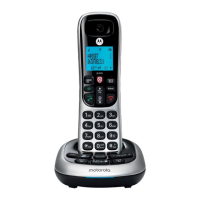
Motorola CD5013 - User Manual

Motorola CD5013
64 pages
Print Icon
To Next Page IconTo Next Page
Loading...
For: CD5011, CD5012, CD5013 and CD5014
Warning:
Charge the handset for 16 hours before use.
Motorola CD5 Series
Digital Cordless Telephone
with Answering Machine

Table of Contents

Other manuals for Motorola CD5013

Question and Answer IconNeed help?

Do you have a question about the Motorola CD5013 and is the answer not in the manual?

Motorola CD5013 Specifications

General IconGeneral
BrandMotorola
ModelCD5013
CategoryCordless Telephone
LanguageEnglish

Summary

Safety Information

Important Safety Instructions

Crucial precautions to prevent fire, shock, and injury.

Emergency Call Limitations

Notes on equipment safety and emergency call limitations.

Initial Setup: Placement and Range

Initial Setup: Connecting Components

Handset Battery Installation and Charging

Instructions for inserting batteries and initial handset charging.

Understanding Your Phone: Handset Overview

Handset Button Identification

Identification and function of handset buttons and features.

Understanding Your Phone: Handset Details

Understanding Your Phone: Base Unit Overview

Base Unit Button Identification

Identification and function of base unit buttons and features.

Using Your Phone: Basic Call Operations

Handset Call Functions

Core operations performed using the handset for calls.

Making and Answering Calls

Instructions for initiating, receiving, and pre-dialing calls.

Using Your Phone: Advanced Call Features

Call Management and Audio Settings

Muting, ending calls, and using the handset equalizer.

Using Your Phone: Intercom and Call Transfer

Transferring External Calls Between Handsets

Moving an ongoing external call to another handset.

Using Your Phone: Conference, Call Waiting, and Voicemail

Conference Calls, Call Waiting, and Keypad Lock

Setting up conference calls, managing call waiting, and keypad lock.

Contact Management: Basics

Viewing and Dialing Contacts

Browsing and initiating calls to contacts.

Contact Management: Speed Dial

Speed Dial Configuration and Management

Assigning and managing numbers for fast call keys.

Clock and Alarm Functions: Setup

Setting Date, Time, and Time Format

Manual configuration of the device's time, date, and display format.

Clock and Alarm Functions: Night Mode

Night Mode Operation and Scheduling

Disabling rings and display during specific hours and setting times.

Call Control Features: Call Barring

Call Barring Setup and Configuration

Restricting outgoing calls to specific numbers or prefixes.

Call Control Features: Call Blocking

Blocking Calls by Type

Blocking calls by type like international, private, unavailable, or payphone.

Call Control Features: Call Block List Management

Managing Numbers in the Call Block List

Adding, editing, and deleting numbers from the call block list.

Caller ID and Call Logs: Viewing and Interaction

Received Calls List Overview

Viewing details of missed and answered calls.

Caller ID and Call Logs: Redialing and List Management

Redial Functionality Overview

Redialing previously called numbers.

Handset Settings: Tones and Volume

Handset Ringer Customization

Customizing ringtones and volumes for the handset.

Advanced Settings: Base and Dialing

Advanced Settings: Call Behavior

Configuring Call Settings

Configuring auto-answer, auto-end call, and auto-join call features.

Advanced Settings: Security and Clock

PIN Management for Security

Managing the device's PIN for security and registration.

Handset Registration Procedures

Registering a New Handset

Pairing additional handsets with the base station.

Answering Machine: Core Operations

Controlling the Answering Machine On;Off

Activating or deactivating the answering machine via base or handset.

Answering Machine: Message Handling

Answering Machine: Announcements

Answering Machine: Remote Access

Remote Access Operation and PIN Setup

Operating the answering machine remotely using a PIN.

Answering Machine: Advanced Remote Access and Memory

Troubleshooting Common Issues

Troubleshooting Common Issues: Answering Machine Problems

Answering Machine Recording and Remote Access Issues

Troubleshooting message recording and remote access problems.

General Information: Regulatory Compliance

Related product manuals