Need help?
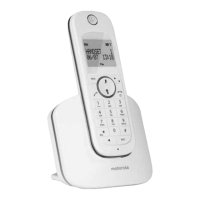
Do you have a question about the Motorola D1003 and is the answer not in the manual?
How to get help via phone and email for setup or usage issues.
Optimal base placement and handset wireless operational distance details.
Interpreting signal indicators and initial connection/charging.
Identification and description of the handset's parts.
Explanation of symbols and battery indicators on the handset screen.
Overview of the base paging key and how to navigate menus.
Instructions for initiating and receiving calls.
Procedures for managing phonebook contacts.
Viewing, saving, deleting call history and redial functions.
Configuring clock, alarm, and alarm sound options.
Adjusting ring volume, melody, and key tones.
Personalizing handset name, display language, and backlight.
Configuring recall time, dial mode, and call restrictions.
Managing handset registration, PIN, and emergency dialling.
Solutions for problems like no dial tone, poor audio, or display errors.
Important safety precautions, installation advice, and product disposal.
Information on product warranty coverage and technical specifications.
Step-by-step guide for wall-mounting the base and charger units.
 General
| Type | DECT telephone |
|---|---|
| Intercom | Yes |
| Ringer type | Polyphonic |
| Answering machine | No |
| Number of melodies | 10 |
| Maximum indoor range | 50 m |
| Maximum outdoor range | 300 m |
| Mac compatibility | - |
| Phonebook capacity | 100 entries |
| Call log entries | 40 |
| Call list capacity phonebook | 50 |
| Backlight color | Orange |
| Display number of lines | 2 lines |
| Mounting type | Desk |
| Product color | White |
| Standby time | 100 h |
| Battery technology | Nickel-Metal Hydride (NiMH) |
| Number of batteries supported | 2 |


 To Next Page