
 Need help?
Do you have a question about the Motorola FOCUS360 and is the answer not in the manual?
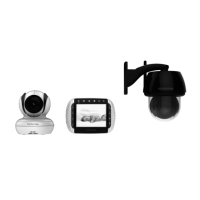
Lists all included components in the package.
Details the monitor screen and primary navigation buttons.
Explains special function keys and status indicator lights.
Identifies microphone, speaker, USB, and power connector.
Details the parts and functions of the indoor camera unit.
Details the parts and functions of the outdoor camera unit.
Advice on positioning the camera for optimal performance and signal.
Warnings regarding dangerous voltage and preventing electric shock.
Caution about cord placement to prevent strangulation risk.
Steps for determining camera location and placement.
Warnings about adult assembly, toy use, supervision, and cord safety.
Guidance on use near water, heat, and approved adapters.
Importance of following instructions and plug polarization.
Using correct power sources and avoiding outlet overload.
Routing cords safely and using surge protectors.
Recommendation for using a UPS for continuous operation.
Ensuring proper airflow and safe placement of the unit.
Avoiding moisture, heat sources, and unstable accessories.
Checking extension cable compliance before installation.
Following guide instructions for mounting cameras with brackets.
Considerations for outdoor camera use and sheltered installation.
Connecting power to the indoor camera unit.
Installing the rechargeable battery pack into the monitor.
Steps to connect and turn on the monitor unit.
Information on battery charging indicators and time.
Advice on sheltered locations, temperature, and obstructions.
Tips for optimizing wireless signal strength and range.
Verifying camera performance before permanent installation.
Steps for marking wall positions and drilling holes for mounting.
Fastening the mounting plate to the wall using screws.
Securing the camera unit to the installed mounting plate.
Plugging the camera's power adapter into the outlet.
Procedure for pairing new or re-registering existing cameras.
Connecting the monitor to a television for viewing.
Positioning and aiming camera units for optimal monitoring.
Remotely adjusting camera direction using monitor controls.
How the monitor displays images in dark conditions.
Using the two-way audio communication feature.
Turning the video display on or off while audio remains active.
Viewing temperature readings from the indoor camera.
Adjusting audio volume and display brightness levels.
Selecting melodies and adjusting zoom level.
Configuring alarm timers and notifications.
Pairing new cameras and viewing existing camera feeds.
Removing cameras and scanning for available units.
Choosing display units for temperature (°C or °F).
Proper methods for cleaning the device and maintaining it.
Solutions for a blank or non-responsive monitor display.
Troubleshooting steps for lost camera-monitor connection.
Tips to reduce interference from other electronic devices.
Initial steps if the product is not working properly.
Information on what the limited warranty covers.
Details on what is not covered by the warranty and liability limits.
Steps required to get warranty service or information.
The complete warranty agreement between user and BINATONE.
Information on Class B digital device compliance with FCC rules.
Compliance information for Industry Canada radio standards.
Technical details for the FOCUS360BU indoor camera unit.
Technical details for the FOCUS360CU outdoor camera unit.
 General
| Brand | Motorola |
|---|---|
| Model | FOCUS360 |
| Category | Baby Monitor |
| Language | English |

 To Next Page









