Need help?
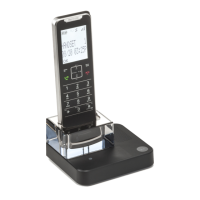
Do you have a question about the Motorola IT6-2 and is the answer not in the manual?
Guidance on optimal placement, understanding handset range, and interpreting signal strength indicators.
Step-by-step instructions for connecting the telephone base to power and line.
Identification of handset components, display, and button functions.
Explanations of specific keys like Redial, Intercom, End Call, and others.
Interpretation of all icons displayed on the handset screen.
Description of the base unit's parts and answering machine key illumination.
Instructions on how to access and move through the phone's menu options.
A visual guide to the phone's menu structure and available options.
Procedures for initiating, accepting, and handling telephone calls.
Adjusting volume, muting, ending calls, and using the intercom feature.
Transferring calls, setting up three-way conferences, and accessing voicemail.
Adding, viewing, editing, and deleting entries in the phonebook.
Using the character map and entering pauses for contact details.
Modifying existing contacts and removing entries from the phonebook.
Storing and deleting numbers for quick access via direct memory.
Information on displayed caller details and the structure of the call list.
Viewing, saving, deleting call list entries, and using the redial function.
Reviewing, dialing, copying, and deleting entries from the redial list.
Configuring the device's clock and alarm functions.
Enabling or disabling the automatic time setting feature via Caller ID service.
Adjusting ring volume, melodies, key tones, and docking tones for the handset.
Customizing base ringtones, volume, and assigning names to handsets.
Configuring display language, auto hang-up, backlight, and keypad lock.
Setting call list types, conference modes, and local area code.
Configuring dial mode and managing handset registration with the base.
Securing the device with a PIN, resetting to defaults, and setting call barring rules.
Setting specific numbers for barring and reviewing the device's default settings.
Turning the answering machine on/off and playing messages.
Deleting messages, recording personal memos, and setting outgoing messages.
Recording, playing, deleting personalized outgoing messages, and setting ring delay.
Operating the answering machine remotely and configuring call screening.
Configuring call screening for handset/base and selecting the answering machine language.
Understanding the "Memory Full" indication and its consequences.
Technical details including RF band, channels, temperature, and power requirements.
Troubleshooting guides for common problems like charging, dial tone, and audio quality.
Solutions for advanced problems like remote access, message recording, and memory issues.
Contact information for customer service and essential safety instructions for use.
Instructions for proper installation, operation, and safe handling of the battery.
Details on what the product warranty covers and any limitations applied.
Information on items excluded from warranty and how to obtain repair service.
Overview of regulatory compliance standards including FCC, ACTA, and Industry Canada.
Specifics on FCC Part 68 rules and interactions with telephone networks.
Details on Industry Canada regulations and Specific Absorption Rate (SAR) guidelines.
 General
| Brand | Motorola |
|---|---|
| Model | IT6-2 |
| Category | Cordless Telephone |
| Language | English |


 To Next Page