
 Need help?
Do you have a question about the Motorola KEY 3000 and is the answer not in the manual?
Explains the manual's objective in guiding users through KVL 3000 operations.
Identifies experienced technicians as the intended readers of this guide.
Lists supplementary manuals that provide additional KVL 3000 information.
Describes the manual's overall structure and content layout.
Provides contact information for reporting errors or seeking assistance with the KVL 3000.
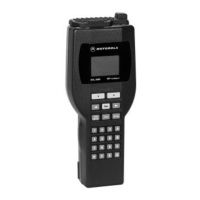
Details the KVL 3000's display, keypad, function keys, and softkeys.
Describes the RS232, PCMCIA, and Infrared ports on the KVL 3000.
Explains the meaning of various icons displayed on the KVL 3000.
Instructions for unboxing and checking the KVL 3000 contents.
Steps for inserting the 3V coin-cell battery into the KVL 3000.
Procedure for charging and installing the 7.5V Ni-Cd main battery.
How to turn on the KVL 3000 and what to expect.
Instructions for attaching and using the desktop stand.
Explanation of the purpose and scope of the quick start guide.
Step-by-step guide for basic KVL 3000 operation.
Overview of the KVL 3000's capabilities and components.
Highlights the main functionalities and features of the KVL 3000.
Explains encryption concepts and types of keys.
Details the KVL 3000's menu architecture and navigation.
Overview of parameters for programming the KVL 3000.
How to program the power-down time period for the KVL 3000.
Managing display backlighting and keypad tone settings.
Procedure for enabling or disabling encryption algorithms.
Setting the internal clock and date format on the KVL 3000.
Enabling or disabling the key sharing feature.
Configuring Supervisor and Operator passwords for security.
Setting a default slot to eliminate the need to select it during key loading.
Entering a unique MDC ID for OTAR systems.
Entering the dial-up phone number for KMC connections.
Configuring the baud rate for modem communications.
Enabling or disabling the Logical IDS prompt.
Controlling FIPS mode for compliance with federal guidelines.
Entering the 128-digit System Key for DVI-XL systems.
Adjusting the memory split between traffic and shadow keys.
Configuring dialing method for modem connections.
Step-by-step guide for manually entering encryption keys.
Procedures for loading traffic keys to various target devices.
Loading traffic keys to SECURENET radios with multiple keys.
Loading traffic keys to ASTRO single-key radios.
Loading traffic keys to ASTRO multiple-key radios.
Loading DVI-XL algorithm keys to fixed units with more than 16 keys.
Loading non-DVI-XL keys to fixed units with more than 16 keys.
Procedure for loading shadow keys to target devices.
How to erase encryption keys from the KVL 3000.
Erasing traffic keys from target devices.
Erasing shadow keys from target devices.
Steps to create and configure key groups for loading.
Procedure for loading a created key group to a target device.
Introduction to key sharing between KVL devices.
Details on connecting two KVLs using a transfer cable.
Procedure to transfer all keys from one KVL to another.
How to share a single specific encryption key.
Sharing key groups and their associated keys between KVLs.
Introduction to Over-the-Air Rekeying (OTAR) concepts.
Entering the Unique Shadow Key (USK) for OTAR operation.
Transferring encryption keys from KVL to KMC.
Downloading keys from KMC to KVL via direct cable.
Downloading keys from KMC to KVL via modem.
Steps for downloading keys using an external modem.
Explanation of the KVL 3000's running record of key operations.
How to access and scroll through log entries on the KVL screen.
Procedure for erasing all log records, requiring supervisor access.
Connecting to a PC to save or print log records.
Directly printing log records to a connected serial printer.
Details the structure and fields of a typical log record.
Guides on understanding and resolving KVL 3000 error messages.
Instructions for returning the KVL 3000 to factory default settings.
Explanation of the purpose and scope of the quick start guide.
Step-by-step guide for basic KVL 3000 operation.
Overview of the KVL 3000's capabilities and components.
Highlights the main functionalities and features of the KVL 3000.
Explains encryption concepts and types of keys.
Details the KVL 3000's menu architecture and navigation.
Overview of parameters for programming the KVL 3000.
How to program the power-down time period for the KVL 3000.
Managing display backlighting and keypad tone settings.
Procedure for enabling or disabling encryption algorithms.
Setting the internal clock and date format on the KVL 3000.
Configuring Supervisor and Operator passwords for security.
Enabling or disabling the key sharing feature.
Enabling or disabling KMF mode for OTAR operation.
Configuring the baud rate for serial port communications.
Controlling FIPS mode for compliance with federal guidelines.
Entering the 128-digit System Key for DVI-XL systems.
Step-by-step guide for manually entering encryption keys.
How to erase encryption keys from the KVL 3000.
Steps to create and name key groups.
How to view the keys stored within a key group.
Procedure for adding keys to an existing key group.
How to remove specific keys from a key group.
Procedure for erasing an entire key group.
How to change the name of an existing key group.
Overview of tasks related to loading keys into target devices.
Procedure for loading a single encryption key to a target device.
How to load an entire key group to a target device.
Procedure for transferring all keys from KVL to a target device.
Erasing a specific encryption key from a target device.
Erasing keys within a key group on a target device.
Procedure for erasing all keys from a target device.
How to display encryption keys stored in a target device.
Introduction to key sharing between KVL devices.
Details on connecting two KVLs using a transfer cable.
Procedure to transfer all keys from one KVL to another.
How to share a single specific encryption key.
Sharing key groups and their associated keys between KVLs.
Introduction to Over-the-Air Rekeying (OTAR) concepts.
Programming KMF-related parameters for OTAR.
Entering the Unique Key Encryption Key (UKEK) for OTAR.
Configuring the active KMF for dial-up connections.
Configuring dialing method for KMF connections.
Entering dial-up phone numbers for KMF connections.
Entering the Radio Set Identifier (RSI) for OTAR systems.
Entering the Message Number Period (MNP) for security.
Entering the Radio Set Identifier (RSI) for OTAR systems.
Transferring encryption keys from KVL to KMF.
Downloading keys from KMF to KVL via direct cable.
Downloading keys from KMF to KVL via modem.
Steps for downloading keys using an external modem.
Utilizing the Store and Forward feature for key transfer.
Viewing and loading OTAR parameters like TGTRSI, KMFRSI, and MNP.
Explanation of the KVL 3000's running record of key operations.
How to access and scroll through log entries on the KVL screen.
Procedure for erasing all log records, requiring supervisor access.
Connecting to a PC to save or print log records.
Directly printing log records to a connected serial printer.
Details the structure and fields of a typical log record.
Guides on understanding and resolving KVL 3000 error messages.
Instructions for returning the KVL 3000 to factory default settings.
Introduction to the KVL 3000's key porting capabilities.
Procedure for porting keys between ASN and ASTRO 25 memory.
Steps to port a key from ASTRO 25 memory to ASN memory.
Loading keys from KMC into KVL memory.
How to switch the KVL 3000 between ASN and ASTRO 25 modes.
Glossary of terms and abbreviations used in the manual.
Details dimensions, weight, and materials of the KVL 3000.
Lists supported encryption algorithms, protocols, and standards.
Describes the KVL 3000's display, keypad, ports, and other interface elements.
Information on regulatory compliance and EMC standards.
Details performance under various environmental conditions.
Lists components included with the main circuit board.
Details available battery accessories for the KVL 3000.
Lists available interface cables for connecting KVL 3000.
Information on software upgrades available for the KVL 3000.
 General
| Brand | Motorola |
|---|---|
| Model | KEY 3000 |
| Category | Compact Loader |
| Language | English |

 To Next Page