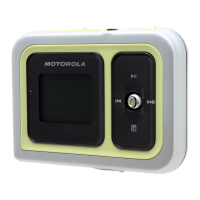
m25 DIGITAL AUDIO PLAYER 29
Play All
To play all tracks:
1 Open MENU by pressing Thumbstick to
.
2 Move Thumbstick to select Play Music.
3 Press Thumbstick in.
4 Move Thumbstick to select Play All.
5 Press Thumbstick in to begin playback.
Album
To play a specific album:
1 Open MENU by pressing Thumbstick to
.
2 Move Thumbstick to select Play Music.
3 Press Thumbstick in.
4 Move Thumbstick to select Album.
5 Press Thumbstick in.
6 Move Thumbstick to select an album to play.
7 Press Thumbstick in to begin playback.
Repeat these instructions to select any of the other
Playback options (Artist, Genre, Track, Year, New
Music).


 To Next Page
 Loading...