
 Need help?
Do you have a question about the Motorola MB7420 and is the answer not in the manual?
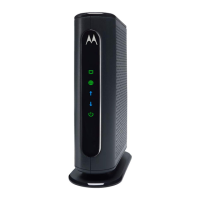
Introduces the Motorola MB7420 cable modem and lists its included accessories.
Guides users on how to connect the modem to a live coaxial cable.
Details the functions of the front panel buttons and connection ports on the modem.
Ensures necessary conditions are met, like subscribed service and powered modem.
Explains the steps to activate the modem with your internet service provider.
Provides specific instructions for Comcast XFINITY and contact info for other providers.
Optional guide for connecting a wireless router to share the modem's internet connection.
Explains the status indicators and their meanings for modem connectivity.
Offers solutions for problems like no internet connection or slow speeds.
Addresses issues when the modem stops working or loses power.
Provides contact information for support and details about the product's limited warranty.
Covers essential safety guidelines and FCC compliance information for the cable modem.
 General
| DOCSIS | 3.0 |
|---|---|
| Downstream Channels | 16 |
| Upstream Channels | 4 |
| Max Download Speed | 686 Mbps |
| Max Upload Speed | 123 Mbps |
| Ethernet Ports | 1 |
| Ethernet Port Speed | Gigabit |
| Compatibility | Comcast Xfinity, Cox, Charter Spectrum |

 To Next Page