
 Need help?
Do you have a question about the Motorola MOTO G XT1039 and is the answer not in the manual?
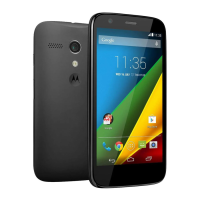
Identifies key external hardware components of the Motorola Moto G smartphone.
Guides through powering on, language selection, Wi-Fi connection, and privacy settings.
Details on adding or skipping a Google account during initial smartphone setup.
Instructions for unlocking the phone and navigating to the applications screen.
Steps to initiate creating a new contact and entering their details.
Guide to unlocking the phone and opening the dialer or contacts for calls.
Procedure for inputting a phone number and making the call.
Steps to unlock the phone and open the messaging application.
Instructions for entering recipient details and message content to send.
Procedure for connecting the charger to the wall outlet and the phone.
How to identify if the phone is charging using the battery icon.
 General
| Technology | GSM / HSPA / LTE |
|---|---|
| 2G bands | GSM 850 / 900 / 1800 / 1900 |
| 3G bands | HSDPA 850 / 900 / 1900 / 2100 |
| 4G bands | LTE band 1(2100), 3(1800), 7(2600), 8(900), 20(800) |
| GPRS | Yes |
| EDGE | Yes |
| Dimensions | 129.9 x 65.9 x 11.6 mm (5.11 x 2.59 x 0.46 in) |
| Weight | 143 g (5.04 oz) |
| SIM | Micro-SIM |
| Type | IPS LCD capacitive touchscreen, 16M colors |
| Resolution | 720 x 1280 pixels (~326 ppi pixel density) |
| Multitouch | Yes |
| Protection | Corning Gorilla Glass 3 |
| Chipset | Qualcomm MSM8226 Snapdragon 400 |
| CPU | Quad-core 1.2 GHz Cortex-A7 |
| GPU | Adreno 305 |
| Internal | 8/16 GB, 1 GB RAM |
| Features | Geo-tagging, touch focus, face detection, HDR, panorama |
| Video | 720p@30fps |
| Secondary Camera | 2 MP |
| Alert types | Vibration; MP3, WAV ringtones |
| Loudspeaker | Yes |
| 3.5mm jack | Yes |
| WLAN | Wi-Fi 802.11 b/g/n, hotspot |
| Bluetooth | 4.0, A2DP, LE |
| GPS | Yes, with A-GPS, GLONASS |
| Radio | FM radio |
| USB | microUSB 2.0 |
| Sensors | Accelerometer, proximity |
| Messaging | SMS (threaded view), MMS, Email, Push Email, IM |
| Browser | HTML5 |
| Java | No |
| Colors | Black, White |
| Status | Available |
| Size | 4.5 inches |
| OS | Android 4.4.4 (KitKat), upgradable to Android 5.1 (Lollipop) |
| Card slot | microSD, up to 32 GB |
| Primary Camera | 5 MP, autofocus, LED flash |
| Battery | 2070 mAh |
| Talk time | Up to 24 h (2G) |
| Speed | HSPA, LTE Cat4 150/50 Mbps |










 To Next Page