14
1
2
5
6
8
9
10
11
7
4
3
12
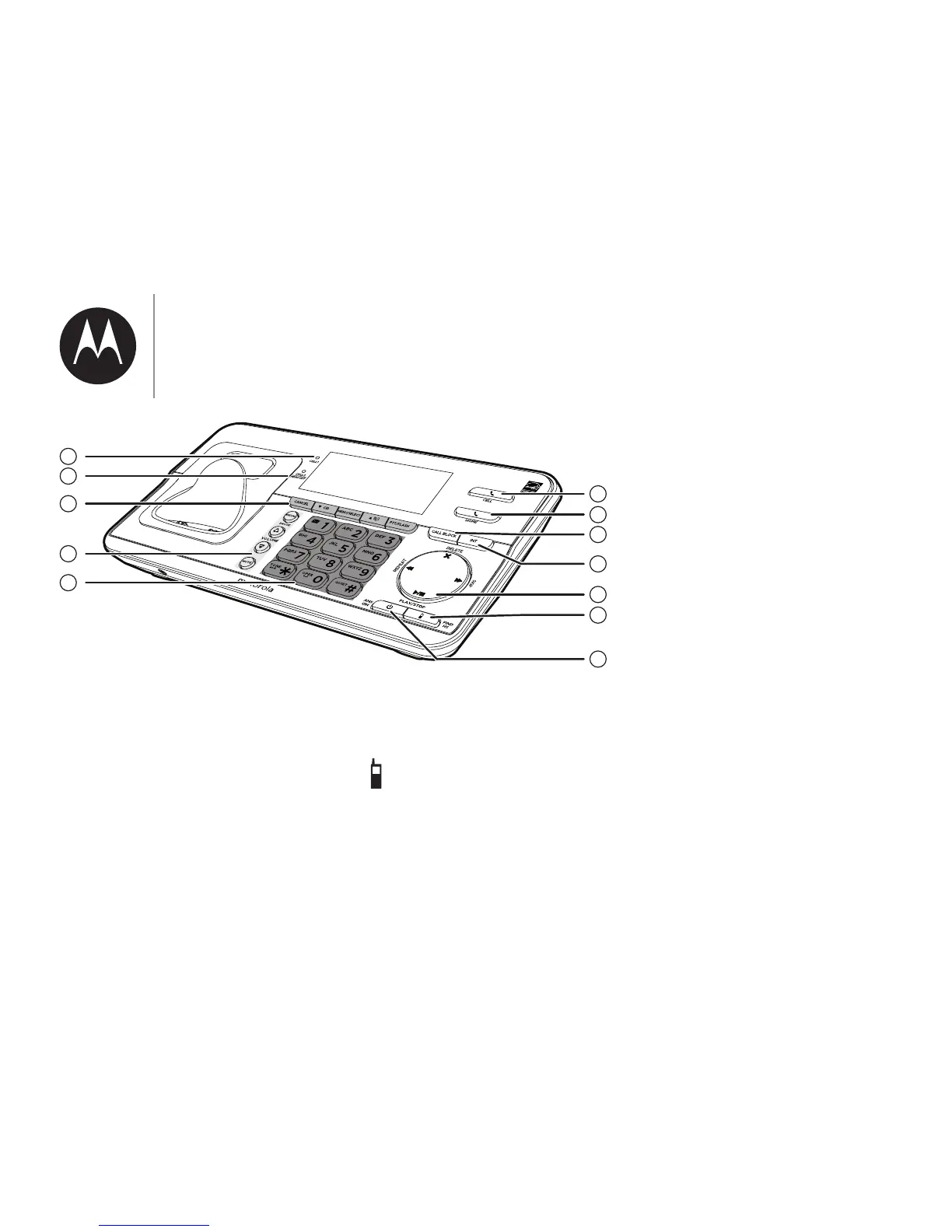
REPEAT
• Press to repeat the playing
message during playback.
• Press twice to play the
previous message during
playback.
SKIP
• Press to skip a message.
PLAY / STOP
• Press to start or stop
message playback.
6.
FIND HS
• Press to page all system
handsets.
7. ANS ON
• Press to turn the built-in
-mv;ubm]vv|;lomouo@ĺ
8. CELL 1 light
• On when the telephone
base is paired with a
Bluetooth device.
• Flashes when the telephone
base is in a discoverable
mode.
9. CELL 2 / HEADSET light
• On when the telephone
base is paired with a
Bluetooth device.
• Flashes when the telephone
base is in a discoverable
mode.
;মm]|ohmo
our_om;


 To Next Page