49
1. Press MENU when the handset
is not in use.
2. Press CID/
or / to choose
Settings, and then press
SELECT.
3. Press CID/
or / to choose
Settings, and then press
SELECT.
4. Use the dialing keys to enter
the voicemail number (up to 30
digits).
5. Press SELECT to save.
$umo@|_;m;ob1;l-bѴ
indicators
When you have retrieved your
voicemail while away from home,
-m7|_;_-m7v;|vঞѴѴ7bvrѴ-v|_;
new voicemail indicators, use this
=;-|u;|o|umo@|_;bm7b1-|ouvĺ
Note
• $_bv=;-|u;|umvo@|_;
bm7b1-|ouvomѲĶb|7o;vmo|7;Ѳ;|;
ouob1;l-bѲl;vv-];vĸ
1. Press MENU when the handset
is not in use.
2. Press CID/
or / to choose
Settings, and then press
SELECT.
3. Press CID/ or / to choose
Clr voicemail, and then press
SELECT. You hear a
1omCul-ঞom|om;ĺ
Clr voicemail
ECO
S
T
;ѴѴr_om;ob1;l-bѴ
If you have voicemail service
-1ঞ;omou1;ѴѴr_om;ķ-m7
you do not answer the incoming
cell call, the call will be answered
by your cell phone's voicemail.
Contact your cell phone service
ruob7;u=oulou;bm=oul-ঞom
about voicemail service.
Expand your telephone
system
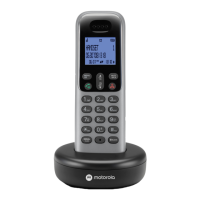
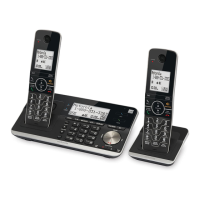
You can add new handset (XT8)
to your telephone system. All
accessories are sold separately.
Your teleohone base supports a
l-bllo=C;7;b1;vĺ
For more details, refer to the
user's manual that comes with
your new device.
&vbm]|_;r_om;


 To Next Page