16
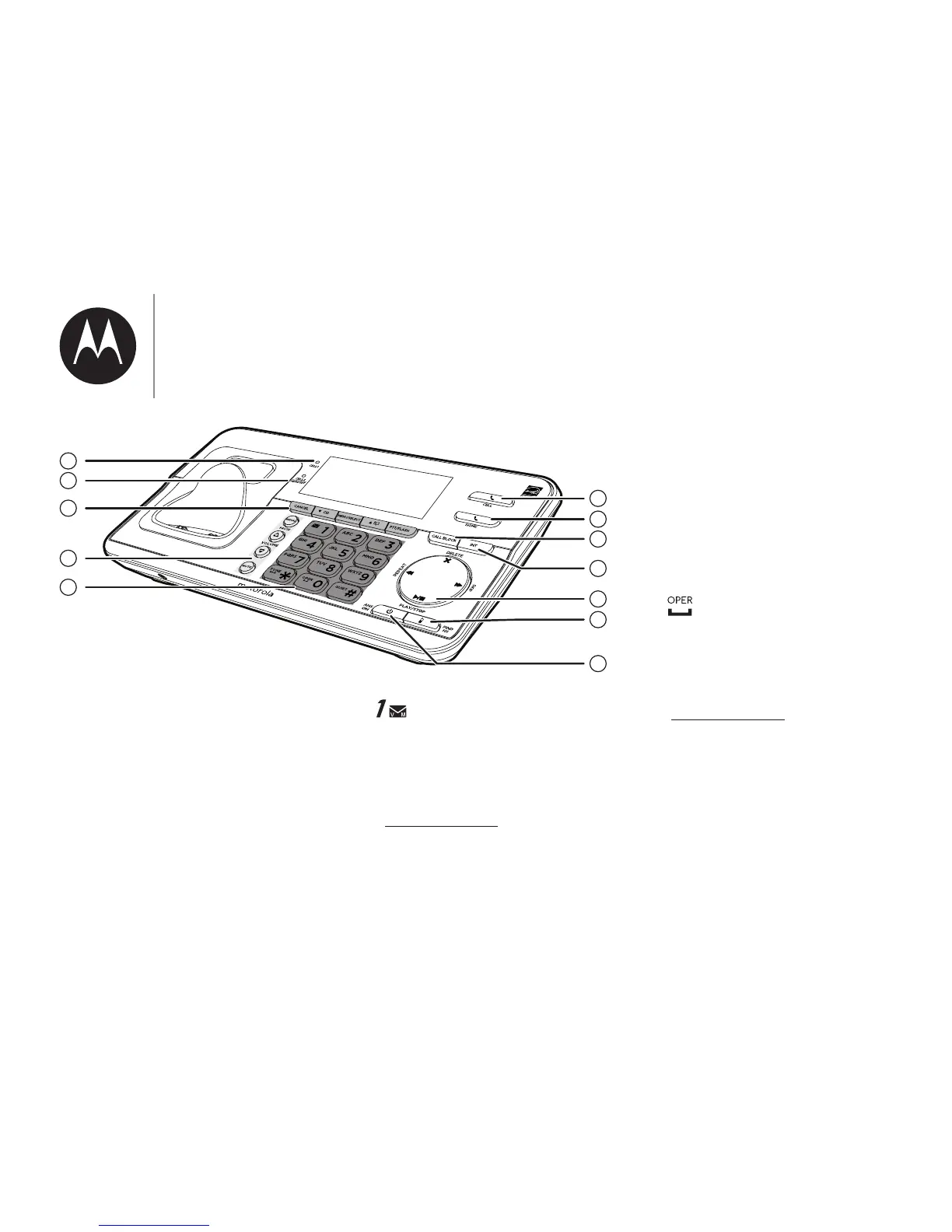
1
2
5
6
8
9
10
11
7
4
3
12
MUTE
• Mute the microphone
during a call.
• Silence the ringer
temporarily while the
handset is ringing.
12.
• Press repeatedly to add
1 in front of the caller ID
log entry before dialing or
saving it to the directory.
• Press and hold to set or dial
your voicemail number.
TONE
• While you have set the dial
mode to pulse and on a
call, press to switch to tone
dialing temporarily.
• Press to toggle between
upper and lower case of the
m;|Ѵ;;uv|o0;bmr|ĺ
0
• Press to add a space when
entering names.
#QUIET
• Press and hold to set Quiet
mode when idle.
• Press repeatedly to show
o|_;u7b-Ѵbm]orঞomv_;m
reviewing a caller ID log
entry.
;মm]|ohmo
our_om;


 To Next Page