Motorola SL300 Non-Display Two-Way
Radio Quick Start Guide
Welcome to the Two Way Radio Gear quick start guide for your Motorola SL300 Non-Display
Two-Way Radio! This guide will cover powering up, using channels, basic navigation, and
essential care.
Contents
1. Introduction
2. Device Overview
3. Getting Started
o Charging the Battery
o Attaching the Antenna
o Powering On/Off
4. Basic Operation
o Adjusting Volume
o Selecting Channels
o Transmitting and Receiving
5. Basic Navigation
6. Keeping Your Radio in Top Shape
7. Troubleshooting Tips
8. Bonus Tips
9. Need More Information?
1. Introduction
The Motorola SL300 Non-Display Two-Way Radio, available from Two Way Radio Gear, is
designed for easy, reliable communication in a variety of environments. This guide provides
essential information to help you get started with your new device.
2. Device Overview
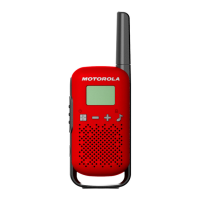
Before you begin using your SL300, familiarize yourself with its key components:
• Antenna: Ensures effective signal transmission and reception.
• Push-to-Talk (PTT) Button: Press to transmit a message.
• Volume Control Knob: Adjusts the volume level and powers the radio on/off.
• Channel Selector Knob: Switches between communication channels.
• Accessory Connector: For attaching compatible accessories such as headsets.
• Battery Pack: Powers the radio.

 Need help?
 General








 To Next Page