3. Pairing
4
When the device and speakerphone connect, you’ll
hear “connected”.
3
Go to the Bluetooth menu on you device, Select
“Sonic Rider” from the list
1
Turn on Bluetooth on you device.
2
Turn on the speakerphone. Speakerphone will
enter pairing mode automatically with LED
flashes blue and red. You will see Green when it is
on and Red when o
ON
OFF
Model: SP005
FCC ID: VLJ-SP005
IC: 4522A-SP005
QDID: D036701
Quick Start Guide
Bluetooth Car Speakerphone
Product name: Sonic Rider
Frequency: 2.402-2.48GHz
Maximum RF Power: 5dbm
Working Temperature: 0°C to 45°C
1. At a glance
Mute
Volume (-)
Volume (+)
MFB
Micro USB Charging Port
Status Light
Power Switch
1 2 3 4
5
6
3
4
5
6
7
EN
2. Charge
Plug the charging cable into the micro USB port. Red LED lights
during charging, and blue LED lights when fully charged.
Note:
You can use your speakerphone unplugged or while plugged into
the charger.
Your battery is designed to last the life of your device. It should
only be removed by a recycling facility. Any attempt to remove or
replace your battery will damage the device, void your warranty,
and could cause injury.
The device can be powered through a micro USB from any CE
compliant power source that implement the European interface as
requested by EN 301 489-52
4. Auto Reconnect
After first-time pairing to a device, speakerphone will auto
reconnect to the device when powered on and within Bluetooth
range of the device.
5. Installation
Slide onto car visor
Important: Before installing or using your product, check the
local laws regarding mounting and use of equipment.
For safe installation:
• Do not put your product in a location that obstructs the
driver’s vision or interferes with the operation of the vehicle.
• Do not cover an airbag.
6. Buttons Operation
Calls
Answer/end call Press MFB
Reject a call Long Press MFB
Mute during call Press Mute
Re-dial last call Double press MFB
Call Waiting
Receiving call and reject on going call Press MFB
Receiving call and hold on going call Long press MFB
Pair
Clear Pair List Long press “+’ & “- “
Call Volume
Volume Down/Up Press -/+
(Volume control is not synchronized
between speakerphone and device
when playing music)
Voice Command
Siri/Google Now Long Press MFB
LED Status Light
Charging Red
Fully Charged Blue
Low Battery Red Flashes
Pairing Red & Blue Flash
3. Appairer
4
Lorsque l'appareil et le haut-parleur se connecteront,
vous entendrez le signal “connected”
3
Ouvrez le menu Bluetooth de votre appareil puis
sélectionnez “Sonic Rider” dans la liste
1
Activez Bluetooth sur votre appareil.
2
Mettez le haut-parleur sous tension. Le haut-
parleur passera automatiquement au mode
d’appairage avec des voyants bleus et rouges
scintillants. Le vert indique que l’appareil est sous
tension et le rouge qu’il est hors tension.
Allumé
Éteint
Modèle: SP005
Code d'identification
FCC: VLJ-SP005
IC: 4522A-SP005
QDID: D036701
Guide rapide de démarrage
Haut-parleur de voiture Bluetooth
nom du produit: Sonic Rider
Fréquence: 2.402-2.48GHz
Puissance RF maximale : 5dbm
Température de fonctionnement:
0°C à 45°C
1. Aperçu
Sourdine
Volume (-)
Volume (-)
TMF
Port de chargement Micro USB
Voyant lumineux
Interrupteur d'alimentation
1 2 3 4
5
6
FR
2. Chargement
Brancher le câble d’alimentation dans le port micro USB. Les
voyants DEL rouges s’allument lors du chargement et les DEL
bleues s'allument lors de la pleine charge.
Remarque :
Vous pouvez utiliser votre haut-parleur qu’il soit branché ou non
au chargeur.
Votre pile est conçue pour durer pendant toute la durée de
vie du produit. Elle ne doit être enlevée que par un centre de
recyclage. Toute tentative d'enlever ou de remplacer votre pile
endommagera l’appareil, annulera votre garantie et peut causer
des blessures.
L'appareil peut être alimenté à l'aide d’un micro USB provenant
d’une source d'alimentation respectant la norme CE qui utilise
l’interface européenne, telle qu'exigée par EN 301 489-52
4. Reconnexion automatique
À la suite du premier appairage à un appareil, le haut-parleur se
reconnectera automatiquement à l'appareil lorsqu'il est allumé et
à portée Bluetooth de l'appareil.
5. Installation
Glisser sur la visière de la voiture
Important: Avant d’installer ou d’utiliser le produit, vérifier les lois
en vigueur quant à la fixation et l’utilisation de l'équipement.
Pour une installation sécuritaire:
• Ne pas placer votre appareil dans un lieu qui peut bloquer la
vision du conducteur ou interférer avec l’opération du véhicule.
• Ne pas entraver les coussins gonflables.
6. Fonctionnement des touches
Appels
Répondre / mettre fin à l'appel Appuyer sur la TMF
Refuser un appel Appuyer longuement sur la TMF
Désactiver le son pendant un appel Appuyer sur la sourdine
Composer le numéro du dernier appel
de nouveau
Appuyer deux fois sur la TMF
Appel en attente
Recevoir un appel et refuser un appel
en cours
Appuyer sur la TMF
Recevoir un appel et mettre un appel
en cours en attente
Appuyer longuement sur la TMF
Appairer
Eacer la liste d'appairage Appuyer longuement sur « «+’&«- »«
Volume de l'appel
Volume -/+ Appuyer sur « - » / « + »
(Lors de la lecture de la musique,
le contrôle du volume n’est pas
synchronisé entre le haut-parleur et
l'appareil)
Commande vocale
avec Siri et Google Now Appuyer longuement sur la TMF
Voyant lumineux DEL
Chargement Rouge
Charge pleine Bleu
Pile épuisée Scintillement rouge
Appairer Scintillements rouges et bleus
3. Emparejamiento
4
Cuando el dispositivo y el teléfono altavoz se
conectan, escuchará “conectado”.
3
Vaya al menú de Bluetooth en su dispositivo y
seleccione “Sonic Rider” de la lista
1
Encienda Bluetooth en su dispositivo.
2
Encienda el teléfono altavoz. El
teléfono altavoz ingresará al modo de
emparejamiento automáticamente cuando
el LED parpadee en rojo y azul. Observará
una pestaña verde cuando está encendido
y una roja cuando está apagado.
ENCENDIDO
APAGADO
Modelo: SP005
Identificación de la FCC:
VLJ-SP005
CI: 4522A-SP005
QDID: D036701
Guía de inicio rápido
Teléfono altavoz con Bluetooth
nombre del producto: Sonic Rider
Frecuencia: 2.402-2.48GHz
Potencia máxima de radiofrecuencia:
5dbm
Temperatura de trabajo: 0°C a 45°C
1. Descripción breve
Mute (Silencio)
Volumen (-)
Volumen (+)
MFB
Puerto de carga del micro USB
Luz de estado
Interruptor de alimentación
1 2 3 4
5
6
ES
2. Cómo cargar
Enchufe el cable de carga en el puerto micro USB. La luz LED roja
se enciende durante la carga y la luz LED azul se enciende cuando
está totalmente cargado.
Nota:
Puede usar su teléfono altavoz desenchufado o mientras está
enchufado al cargador.
Su batería ha sido diseñada para durar a lo largo de la vida útil
del dispositivo. Solo debe retirarse en una instalación de reciclaje.
Cualquier intento de retirar o reemplazar su batería, dañará el
dispositivo, invalidará la batería y podría causar una lesión.
El dispositivo puede potenciarse a través de un micro USB desde
cualquier fuente de alimentación conforme a la norma CE que
implemente la interfaz europea como se solicita en EN 301 489-52
4. Reconexión automática
Luego de emparejar el dispositivo por primera vez, el teléfono
altavoz se reconectará automáticamente al dispositivo cuando se
encienda y dentro del rango de Bluetooth del dispositivo.
5. Instalación
Deslizar dentro del visor del auto
Importante: Antes de instalar o usar su producto, verifique las
leyes locales relacionadas con el montaje y el uso del equipo.
Para una instalación segura:
• No coloque su producto en un lugar que obstruya la visión del
conductor o que interfiera con la operación del vehículo.
• No cubra una bolsa de aire.
6. Operación de los botones
Llamadas
Responder / Terminar llamada Presione MFB
Rechazar una llamada Presione largo MFB
Silencio durante la llamada Presione Mute (Silencio)
Volver a marcar la última llamada Presione dos veces MFB
Llamada en espera
Recibir llamada y rechazar llamada
en curso
Presione MFB
Recibir llamada y poner en espera
llamada en curso
Presione largo MFB
Emparejamiento
Limpiar lista de dispositivos
emparejados
Presione largo "+" y "-"
Volumen de llamada
Subir/Bajar volumen Presione - / +
(El control de volumen no está
sincronizado entre el teléfono altavoz
y el dispositivo cuando se reproduce
la música)
Comando de voz
Siri/Google Now Presione largo MFB
Luz de estado LED
Cargando Rojo
Totalmente cargado Azul
Batería baja Parpadeo rojo
Emparejamiento Parpadeo rojo y azul
3. Emparelhamento
4
Quando o dispositivo e o viva-voz se conectarem,
você ouvirá “conectado”.
3
Vá ao menu do Bluetooth do seu dispositivo,
selecione “Sonic Rider” na lista
1
Ativar Bluetooth em seu dispositivo.
2
Ativar o viva-voz. O viva-voz entrará
no modo de emparelhamento
automaticamente com o LED piscando
em azul e vermelho. Você verá a cor verde
quando estiver ativo e vermelha quando
desativado.
ATIVO
DESATIVADO
Modelo: SP005
ID FCC: VLJ-SP005
IC: 4522A-SP005
QDID: D036701
Guia de Início Rápido
Viva-voz de Carro Bluetooth
Nome do Produto: Sonic Rider
Frequência: 2.402-2.48GHz
Potência máxima de RF: 5dbm
Temperatura de funcionamento:
0°C a 45°C
1. Visão geral
Mudo
Volume (-)
Volume (+)
MFB
Porta de carregamento do
micro USB
Luz de status
Interruptor de ligação
1 2 3 4
5
6
PT
2. Carregamento
Conecte o cabo de alimentação na porta do micro USB. O LED
vermelho se acende durante o carregamento e o LED azul se
acende quando totalmente carregado.
Observação:
Você pode usar seu viva-voz desconectado ou enquanto estiver
conectado ao carregador.
Sua bateria foi projetada para durar por toda a vida do
dispositivo. Ela só deve ser removida por uma instalação de
reciclagem. Qualquer tentativa de remover ou substituir a sua
bateria causará danos ao dispositivo, anulará a sua garantia e
poderá causar ferimentos.
O dispositivo pode ser alimentado através de um micro USB
a partir de qualquer fonte de energia compatível com CE que
implemente a interface europeia conforme solicitado pela EN
301 489-52
4. Reconexão automática
Após o primeiro emparelhamento com um dispositivo, o viva-voz
se reconectará automaticamente ao dispositivo quando ligados e
dentro do alcance do Bluetooth do dispositivo.
5. Instalação
Deslize até o visor do carro
Importante: Antes de instalar ou usar seu produto, verifique as
leis locais sobre montagem e uso de equipamentos.
Para uma instalação segura:
• Não coloque seu produto em um local que obstrua a visão do
motorista ou interfira no funcionamento do veículo.
• Não obstrua um airbag.
6. Funcionamento dos botões
Chamadas
Atender/Encerrar Pressionar MFB
Rejeitar uma chamada Pressionar e segurar MFB
Mudo durante a chamada Pressionar Mudo
Repetir a última chamada Pressionar duas vezes MFB
Chamada em espera
Recebendo chamada e rejeitar
chamada em andamento
Pressionar MFB
Recebendo chamada e colocar em
espera uma chamada em andamento
Pressionar e segurar MFB
Emparelhar
Apagar lista de emparelhamento Pressionar e segurar “+” e “-”
Volume da Chamada
Aumentar/baixar o volume Pressionar -/+
(O controle do volume não é
sincronizado entre o viva-voz
e o dispositivo quando houver
reprodução de músicas)
Comando de Voz
Siri/Google Now Pressionar e segurar MFB
Luz de status de LED
Carregando Vermelho
Completamente carregado Azul
Bateria fraca Vermelho intermitente
Emparelhamento Vermelho e Azul intermitente

 Need help?
 General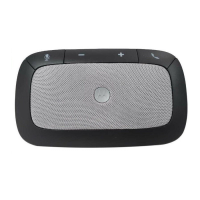

 To Next Page