EasyManua.ls Logo

Motorola SONIC SUB 500 - User Manual

Motorola SONIC SUB 500
2 pages
Print Icon
To Next Page IconTo Next Page
Loading...
MODEL: SONIC SUB 500
Power on/ o
press and hold button 3S to turn ON/OFFand selec
"Sonic Sub 500 " from phone menu.
1
key feature
EN
Product ID: SP025
Maximum RF Power: 4dBm IC: 4522A-SP025
Working temperature: -10oC -45 oC
Frequency Band: 2.402 -2.480 GHz FCC ID: VLJ-SP025
2
basic operation
double-click to enter 2 speaker link mode.
Volume up
short Press to increase volume;
press and hold for 2s to play the next track.
Two Speaker Linking Process
Power on both speakers to put them into pairing mode.
Double click the power button on either speaker to enter
link mode.You will hear “Left Channel, Right Channel”.
Go to the BT menu on your device and select the model of
Sonic Sub 500 that you have , you will hear “Pairing complete”
when the speaker is connected
If you previously connected one speaker to your phone,
power on the other speaker and after you hear “Pairing”
double click the power button to enter link mode.
“You will hear Left Channel, Right Channel”
play/pause /BT disconnect
short Press to play /Pause,
Press and hold for 2s to connect /disconnect Bluetooth
double press can start to " Voice Assistant
Volume down
short Press to decrease volume; press and hold it for 2s to
play the last track.
Type C input
Type C input for power supply , standard input
power is 5V 2A
Single Speaker BT Connection Process
Power on only one speaker. The blue LED will flash when
power is on. Wait until you hear the “Pairing” from the
speaker. Select the model of Sonic Sub you have from the
BT menu to and pair the speaker to your mobile device.
You will hear “Pairing complete” when the speaker
is connected.
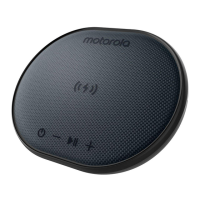
Wireless Chargepad
When Sonic SUB 500 is power on, or in charging with
power supply, put your phone on the product ( center the
phone with the wireless charging symbol on the product) ,
can charge your device .
size: 75 x 200mm
Question and Answer IconNeed help?

Do you have a question about the Motorola SONIC SUB 500 and is the answer not in the manual?

Summary

Motorola Sonic Sub 500 Basic Operation

Power On and Off

Press and hold button 3S to turn ON/OFF and select 'Sonic Sub 500' from phone menu.

Volume Control

Short press to increase/decrease volume. Press and hold 2s to play next/last track.

Play, Pause, and Bluetooth Disconnect

Short press for play/pause. Hold 2s for BT connect/disconnect. Double press for Voice Assistant.

Wireless Charging

Place your phone on the product to charge wirelessly when the product is powered on or charging.

Type-C Power Input

Standard input power for supply is 5V 2A via Type-C connector.

Single Speaker Bluetooth Connection

Connect one speaker to your mobile device by selecting 'Sonic Sub 500' from BT menu after hearing 'Pairing'.

Two Speaker Linking (TWS)

Link two speakers by double-clicking power button to enter link mode, hear 'Left Channel, Right Channel'.

FCC Regulatory Information

FCC Compliance Statement

Device complies with Part 15 of FCC Rules, subject to conditions of no harmful interference and accepting received interference.

Modifications and Interference

Unauthorized modifications void user authority. Device may cause interference; follow measures to correct if necessary.

RF Exposure Compliance

Device meets general RF exposure requirements and can be used in portable exposure conditions without restriction.
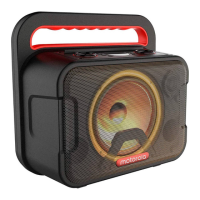
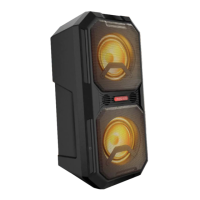
Overview

The Motorola Sonic Sub 500 (Model: SONIC SUB 500, Product ID: SP025, FCC ID: VLJ-SPO25, IC: 4522A-SP025) is a portable audio device designed for wireless audio playback and charging. It operates on a frequency band of 2.402-2.480 GHz with a maximum RF power of 4dBm, suitable for a working temperature range of -10°C to 45°C.

Function Description:

The Sonic Sub 500 serves primarily as a wireless speaker, offering audio playback via Bluetooth connectivity. It also integrates a wireless charging pad, allowing users to charge compatible devices. The device supports both single-speaker and two-speaker linking for a more immersive stereo audio experience.

Usage Features:

Power On/Off:

To power the device ON or OFF, press and hold the power button for 3 seconds. Once powered on, "Sonic Sub 500" will appear in your phone's Bluetooth menu for selection.

Volume Control:

  • Volume Up: A short press of the volume up button increases the volume. Pressing and holding the volume up button for 2 seconds will play the next track.
  • Volume Down: A short press of the volume down button decreases the volume. Pressing and holding the volume down button for 2 seconds will play the last track.

Playback and Bluetooth Control:

  • Play/Pause: A short press of the play/pause button will toggle between playing and pausing audio.
  • Bluetooth Connect/Disconnect: Press and hold the play/pause/Bluetooth button for 2 seconds to connect or disconnect Bluetooth.
  • Voice Assistant: A double press of the play/pause/Bluetooth button will activate the voice assistant (Siri/Google/Alexa) on your connected device.

Wireless Charging:

The Sonic Sub 500 features an integrated wireless charging pad. When the device is powered on or connected to a power supply for charging, place your compatible phone on the product, centering it with the wireless charging symbol, to charge your device.

Type C Input:

The device includes a Type C input port for power supply, requiring a standard input power of 5V 2A.

Single Speaker Bluetooth Connection Process:

  1. Power on a single speaker. The blue LED indicator will flash, and you will hear "Pairing" from the speaker.
  2. Open the Bluetooth menu on your mobile device and select "Sonic Sub 500" to pair.
  3. Once connected, you will hear "Pairing complete" from the speaker.

Two Speaker Linking Process:

This feature allows two Sonic Sub 500 speakers to be linked for stereo sound.

  • Initial Linking:

    1. Power on both speakers to put them into pairing mode.
    2. Double-click the power button on either speaker to enter link mode. You will hear "Left Channel, Right Channel."
    3. Go to the Bluetooth menu on your device and select "Sonic Sub 500." You will hear "Pairing complete" when the speakers are connected.
  • Linking with a Previously Connected Speaker:

    1. If one speaker was previously connected to your phone, power on the other speaker.
    2. After hearing "Pairing," double-click the power button on the newly powered-on speaker to enter link mode.
    3. You will hear "Left Channel, Right Channel."

Important Technical Specifications:

  • Model: SONIC SUB 500
  • Frequency Band: 2.402 - 2.480 GHz
  • Maximum RF Power: 4dBm
  • Working Temperature: -10°C to 45°C
  • Product ID: SP025
  • FCC ID: VLJ-SPO25
  • IC: 4522A-SP025
  • Input Power: 5V 2A (via Type C)
  • Dimensions: 75 x 200mm

Maintenance Features (FCC Caution):

The device complies with Part 15 of the FCC Rules, ensuring it does not cause harmful interference and accepts any interference received. Users are advised that any changes or modifications not expressly approved by the party responsible for compliance could void their authority to operate the equipment.

In case of radio or television interference caused by the equipment, users are encouraged to try the following measures:

  • Reorient or relocate the receiving antenna.
  • Increase the separation between the equipment and receiver.
  • Connect the equipment into an outlet on a circuit different from that to which the receiver is connected.
  • Consult the dealer or an experienced radio/TV technician for help.

The device has been evaluated to meet general RF exposure requirements and can be used in portable exposure conditions without restriction.
Motorola SONIC SUB 500 Specifications

General IconGeneral
BrandMotorola
ModelSONIC SUB 500
CategorySpeakers
LanguageEnglish

Related product manuals