EasyManua.ls Logo

Motorola T805 - User Manual

Motorola T805
5 pages
Print Icon
To Next Page IconTo Next Page
Loading...
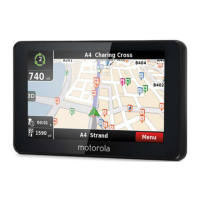
motorola
Phone-based
Navigation System T805
featuring MOTONAV
Quick Start Guide – BETA
Dear User,
Thank you for being part of the T805 Beta program. We are
grateful for your participation – and more importantly, for your
feedback. We’re eager to hear all your feedback as soon as
possible – so please use the attached documentation and set-up
information to get started using your Phone-based T805.
Below, you’ll find set-up information and a compass link
containing sell-in tools, product photography, feedback forms,
phone compatibility spreadsheets and other useful information
related to the T805. Please pass along relevant information to any
customers that you will work with to trial the T805.
- The T805 Team
Compatibility:
Full version:
Motorola RAZR V3x, V3xx, maxx V6
Lite version:
Motorola RAZR V3i, KRZR K1, RIZR Z3, SLVR L6, L7
MOTONAV will run on many other Motorola, Nokia, Sony Ericsson and other
mid-range phones with Bluetooth and Java. The version supported depends
on the capabilities of the phone model.
Key features:
Turn-by-turn navigation with voice guidance
Moving map display
Local search for businesses and points-of-interest
Web address entry and synchronization
Share locations with others
Pedestrian navigation mode (full version only)
Announce street names during guidance (full version only)
Traffic updates (full version only – not complete yet)
Quick start GPS (full version only – not complete yet)
Physical installation instructions:
1. Attach the adjustable phone holder to the suction cup mount and slide
the L-shape legs into the groove on the holder.
2. Attach the suction cup mount to your windshield or to the enclosed
circular disc which can be affixed to your dash.
3. Place your phone in the phone mount and squeeze the sides
together. Press the button on the left side to release your phone.
Question and Answer IconNeed help?

Do you have a question about the Motorola T805 and is the answer not in the manual?

Summary

Motorola Phone-based Navigation System T805

Quick Start Guide Introduction

Introduction to the T805 Beta Quick Start Guide, thanking users and outlining provided information.

Phone Compatibility

Lists specific Motorola phone models compatible with full and lite versions of MOTONAV.

Key Features of MOTONAV

Highlights core functionalities like turn-by-turn navigation, local search, and web address entry.

Physical Installation Guide

Step-by-step instructions for attaching the holder to the mount and placing the phone.

System Setup and Operation

GPS Receiver Mounting Options

Details various ways to mount the GPS receiver, including dashboard, visor, and belt clip.

MOTONAV Software Installation

Instructions for installing MOTONAV software, requiring data service and correct phone date/time.

MOTONAV Operation Instructions

Steps for powering on the GPS receiver, starting MOTONAV, and initial setup procedures.

Operational Tips and LED Indicators

Provides usage tips, explains LED indicator behavior, and covers automatic power-off features.

Detailed Installation Procedure

Step 1: Send Text Message

Instructions on sending a text message with a PIN code to receive login and download data.

Step 2: Receive Text Messages

Details about receiving two text messages containing login data and a download link.

Step 3: Download MOTONAV

Guidance on opening the download link and following on-screen instructions for mobile phone download.

Step 4: Start MOTONAV

Instructions for starting the MOTONAV application and running the setup wizard.

Important User Notices

Safety and Legal Precautions

Advises users on safe phone usage while driving and obeying traffic laws.

Navigation System Responsibilities

Clarifies user responsibility for route setup, surroundings awareness, and data access charges.

Privacy Policy

Explains that location data is used for service and not shared with third parties.

FCC Compliance Information

FCC Rules Statement

Device complies with Part 15 of FCC Rules, subject to interference conditions.

Interference Correction Measures

Provides measures to correct harmful interference to radio or television reception.

Unauthorized Modifications

Warns that modifications not approved by Motorola could void user authority.

Motorola T805 Specifications

General IconGeneral
Audio Output3.5mm headphone jack
Memory64MB RAM
BatteryLithium-ion
ConnectivityUSB
SpeakerBuilt-in

Related product manuals