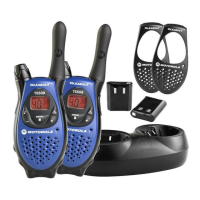
Accessories
22
• Turn radio Off.
• Insert plug of audio accessory firmly into Accessory Jack.
• Turn radio On. Radio will display:
g.
• Lower radio volume BEFORE placing accessory on head
or in ear.
• To transmit, speak into Accessory Microphone and to
receive, stop talking.
VOX operation can be disabled by pressing
M
or removing
audio accessory.
There is a short delay between when you start talking and the radio transmits.
Note: To order accessories, please refer to: www.motorola.com/talkabout
Setting Sensitivity Level
Adjusting your radio’s Sensitivity Level helps to minimize the possibility of unintended
noises triggering a transmission, or enhances the ability to pick up quiet voices.
• Press
\
as needed to display g.
• Select Sensitivity Level of
1, 2, or 3 by using
[
or
]
:
Note: When you connect a VOX accessory, the radio will automatically be set to the
last chosen sensitivity level.
3 = High Sensitivity,
quiet environments
2 = Medium Sensitivity,
for most environments
1 = Low Sensitivity,
for noisy environments
6864110r06o.book Page 22 Wednesday, March 6, 2002 12:15 PM



 To Next Page
 Loading...