EasyManua.ls Logo

Motorola Talkabout T5100 - User Manual

Motorola Talkabout T5100
25 pages
Print Icon
To Next Page IconTo Next Page
Loading...
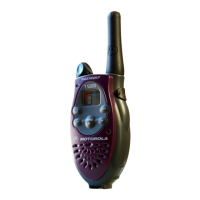
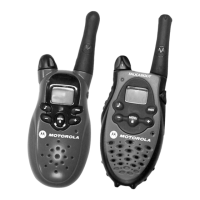
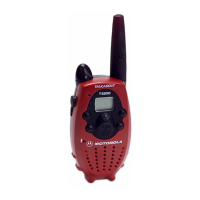
Your New Radio
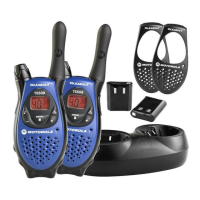
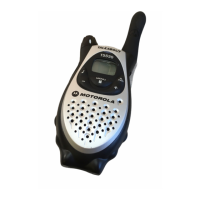
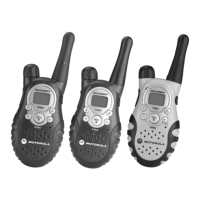
Motorola Talkabout T5100 and T5200
radios operate on Family Radio Service
(FRS) designated frequencies.This
license-free, short range, two-way radio
service was established specifically for
family and group recreational use.
Use of this radio outside the country
where it was intended to be distributed is
subject to government regulations and
may be prohibited.
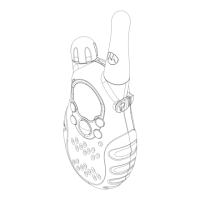
Push-To-Talk Button
(PTT)
Power/Volume Knob
Accessory Jack
Scroll
Buttons
Interference
Eliminator
Code*
Microphone
Menu/Lock
Button
LED Indicator Light
Monitor (mon)
Battery Cover Latch
(radio back)
Call Tone Button
Battery Meter
*T5200 Only
“Roger”
Beep Icon
Front Cover Latch
(radio bottom)
2

Other manuals for Motorola Talkabout T5100

Question and Answer IconNeed help?

Do you have a question about the Motorola Talkabout T5100 and is the answer not in the manual?

Motorola Talkabout T5100 Specifications

General IconGeneral
BrandMotorola
ModelTalkabout T5100
CategoryTwo-Way Radio
LanguageEnglish

Summary

Safety and General Information

RF Operational Characteristics

Details on the radio's frequency range and RF energy transmission.

Exposure to Radio Frequency Energy

Information on complying with standards for human exposure to EME.

Portable Radio Operation and EME

Antenna Care and Usage

Proper handling of the antenna to ensure performance and safety.

Two-way Radio Operation

Recommended posture for holding the radio during use.

Body-worn Operation Compliance

Guidelines for maintaining FCC RF exposure compliance when wearing the radio.

Interference and Compatibility

Electromagnetic Interference Management

Precautions for avoiding interference in facilities and aircraft.

Medical Device Compatibility

Safety guidelines for users with pacemakers, hearing aids, and other medical devices.

Operational Warnings and Safety

Driving Safety

Rules and advice for using the radio while driving.

Vehicle Air Bag Safety

Warning about placing the radio in air bag deployment areas.

Potentially Explosive Atmospheres

Prohibitions and warnings for use in hazardous areas.

Blasting Caps and Areas

Safety instructions for areas with blasting operations.

Troubleshooting Guide

Power, Display, and Transmission Issues

Solutions for problems like no power, erratic display, and message transmission failure.

Reception and Channel Noise Issues

Solutions for issues related to message reception and channel noise.

Troubleshooting and Support

Range and Interference Solutions

Addressing limited talk range and static/interference problems.

Motorola Limited Warranty

Warranty Coverage and Duration

Details on what the warranty covers and for how long it is valid.

Related product manuals