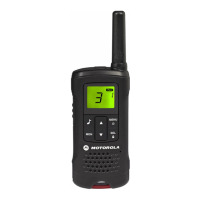
Motorola TLK 100 Two-Way Radio Troubleshooting Guide
Having trouble with your Motorola TLK 100 two-way radio? Don't worry, this guide will help
you troubleshoot common issues and get you back on track.
Problem: Radio Won't Turn On
• Solution 1: Check the Battery: The TLK 100 has a removable battery. Ensure its
properly inserted and sufficiently charged. Try a different battery (if available) to rule out
battery issues.
• Solution 2: Cleaning the Contacts: Dust or debris on the charging contacts can prevent
proper connection. Use a dry cloth to clean the contacts on both the battery and the radio.
• Solution 3: Faulty Battery: If you have a spare battery, try using it. If the issue persists
with both batteries, the battery might be faulty and require replacement.
• Solution 4: Hard Reset: If the above solutions don't work, a hard reset might be
necessary. Consult the user manual for specific instructions on performing a hard reset
for your TLK 100 model.
Problem: No Audio or Low Volume
• Solution 1: Check the Volume: Make sure the volume is turned up using the volume
buttons on the side of the radio.
• Solution 2: Verify Proper Connection (Wired Headset): If using the wired headset,
ensure it's securely plugged into the audio jack on the radio.
• Solution 3: Clean the Speaker and Microphone: Dirt or debris can block the speaker and
microphone. Gently clean them with a soft, dry brush.
• Solution 4: Check Channel Selection: You might be on the wrong channel. Verify you
and the person you're trying to communicate with are on the same channel.
Problem: Can't Hear Incoming Calls
• Solution 1: Check Mute Button: Ensure the mute button on the radio or wired headset (if
applicable) is not engaged.
• Solution 2: Adjust Volume: Make sure the volume is turned up on the radio.
• Solution 3: Use Optional Accessory: Try using a wired headset or lapel mic to rule out a
faulty speaker.
Problem: Dropped Calls or Poor Reception
• Solution 1: Check Signal Strength: The LED indicator on the radio shows signal
strength. A weak signal can cause dropped calls or poor reception. Move to a location
with a stronger signal.
• Solution 2: Obstructions: Walls, metal objects, or certain weather conditions can hinder
signal quality. Try moving to a clearer area.

 Need help?
 General




 To Next Page