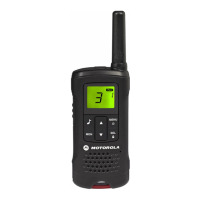
Problem: Text Messaging Not Working (Optional Feature)
• Solution 1: Verify Text Messaging Settings: Consult the programming portal and user
guide
to confirm your text messaging settings are configured correctly.
• Solution 2: Network Issues: Contact your cellular network provider to check for any
network outages or service disruptions affecting text messaging.
Problem: Location Tracking Not Working (Optional Feature)
• Solution 1: GPS Activation: Verify GPS is enabled on your TLK 100 radio. Refer to the
user manual for specific instructions.
• Solution 2: Network Issues: Contact your cellular network provider to check for any
network outages or service disruptions affecting location tracking.
Additional Tips:
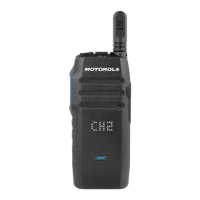
• Consult the User Guide: The Motorola TLK 100 User Guide provides detailed
troubleshooting steps for various issues. Refer to it for more advanced troubleshooting or
specific error messages.
• Software Updates: Check for any available software updates for your TLK 100 radio.
Updating to the latest software can sometimes resolve bugs and improve performance.
(Refer to the user guide for instructions on software updates)
• Contact Two Way Radio Gear Support: If you've tried all the troubleshooting steps
and the problem persists, contact TWRG Support at info@twrg.com for further
assistance.
By following these steps, you should be able to resolve the most common problems with your
Motorola TLK 100 radio. Remember, for any complex issues or those not covered here, referring
to the user guide or contacting TWRG Support at info@twrg.com is always recommended.



 To Previous Page
 Loading...