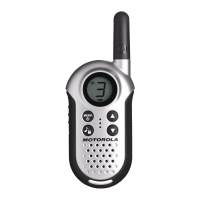
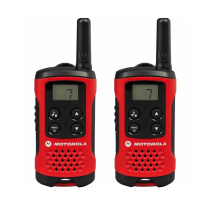
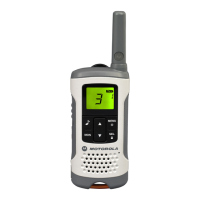
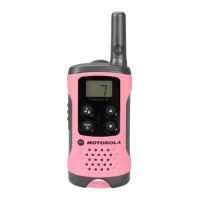
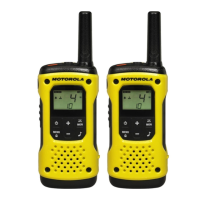
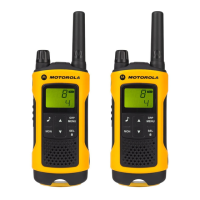
The Motorola TLKR T60/T60Z/T61 is a portable two-way radio designed for personal mobile radio (PMR) communication. It offers a range of features for convenient and reliable use in various environments.
Function Description:
The primary function of the TLKR T60/T60Z/T61 is to enable two-way radio communication over short to medium distances. Users can select from 8 PMR channels and utilize 121 sub-codes (38 CTCSS and 83 DCS codes) to minimize interference and ensure clear communication with other radios set to the same channel and sub-code. The radio supports Push-To-Talk (PTT) operation for transmitting voice and automatically receives incoming calls when the PTT button is released. It also features Voice Operated Transmission (VOX), allowing hands-free communication by initiating transmission when the user speaks into the microphone, eliminating the need to press the PTT button. The radio includes a Room Monitor function, which detects voices or noises in a monitored room and transmits them back to a listening radio, making it suitable for monitoring children or other areas. For convenience, it has a Channel Scan mode to find active channels and a Dual Watch mode to monitor two channels alternately. An Up Timer function allows users to time activities up to 39 minutes and 59 seconds while still receiving calls. The radio is equipped with a Key Lock feature to prevent accidental button presses and an Automatic Power Off (APO) function to conserve battery life by automatically turning off after a set period of inactivity. A Roger Beep can be enabled to signal the end of a transmission.
Important Technical Specifications:
- Channels: 8 PMR Channels
- Sub-Codes: 121 (38 CTCSS Codes & 83 DCS codes)
- Range: Up to 8 km (actual range may vary depending on environmental and/or topographical conditions)
- Power Source: NiMH battery pack / 4 AAA Alkaline batteries
- Battery Life: 16 Hours (under typical use conditions)
- VOX Circuitry: Internal
- Call Tones: 5 selectable alerts
- Display: Backlit LCD
- Headset Jack: For optional headset
- DC Input: 9V Jack for charging cradle
- Dimensions: Not specified, but implied to be a compact, portable device.
Usage Features:
- Turning On/Off: Press and hold the MENU/Power button.
- Volume Adjustment: Use the Up and Down buttons.
- Key Beeps: Can be switched ON/OFF by pressing and holding the Call button while turning the radio ON.
- Menu Navigation: The radio has two menu functions: Select Menu and Mode Menu.
- Select Menu: Accessed via the SEL/Lock button, used for selecting Channel, Sub-code, VOX Level, Call Tone, and Auto Power Off time.
- Mode Menu: Accessed via the MENU/Power button, used for Scan Mode, Dual Watch Mode, Room Monitor Mode, and Up Timer Mode.
- Talking: Hold the radio 5-8 cm from your mouth, press and hold the PTT button to speak, and release to receive. A TX Time Out tone and flashing icon indicate prolonged transmission (60 seconds).
- Channel and Sub-Code Selection: Navigate through the Select Menu using the SEL/Lock button and Up/Down buttons to choose the desired channel (1-8) and sub-code (0-121).
- VOX (Voice Operated Transmission): Selectable levels (1-5) for sensitivity, with 'oF' disabling VOX. Level 1 is for quiet environments, and level 5 for noisy ones. A flashing icon indicates voice acceptance.
- Call Tone Transmission: Select one of 5 call tones via the Select Menu. Press the Call button to transmit the selected tone.
- Auto Power Off (APO): Set the radio to turn off automatically after 60, 120, or 180 minutes, or disable it ('oF').
- Channel Scan Mode: Activates scanning for active channels. The radio will land on an active channel for 2 seconds. Press PTT to transmit on that channel.
- Dual Watch Mode: Allows monitoring of the current channel and another selected channel alternately.
- Room Monitor Mode: Detects voice/noise and transmits it. Sensitivity levels (1-5) can be set. If voice/noise continues for over 60 seconds, monitoring pauses for 5 seconds and then resumes.
- Up Timer: Times up to 39 minutes 59 seconds. Can be started, stopped, or reset.
- Key Lock: Press and hold SEL/Lock until the lock icon appears to lock the keypad. Repeat to unlock.
- LCD Backlight: Automatically illuminates for 10 seconds after any button press (except PTT).
- Monitor Mode: Press MON button for brief listening (icon blinks) or press and hold for 2 seconds for continuous listening (icon continues to blink). Press MON again to turn off.
- Roger Beep: Sounds at the end of PTT or VOX transmission. Enabled/disabled by pressing and holding the Up button while turning the radio ON.
- Automatic Power Save: The radio enters Power Save mode after 3 seconds of no transmissions to conserve battery.
Maintenance Features:
- Battery Installation: Ensure the radio is OFF, remove the battery compartment door, install NiMH batteries, and replace the door.
- Battery Level Indicator: An icon indicates full charge, and a blinking icon signals low battery, prompting charging or replacement.
- Charging:
- Using Charging Cradle: Place the radio in the cradle (keypad facing forward) after connecting the AC adapter. The LED indicator will illuminate. Charge for 16 hours.
- Using Battery Support Bracket: Remove the NiMH battery pack from the radio, place the support bracket in the cradle, then install the battery pack into the bracket, ensuring contacts are aligned. The LED will illuminate. Charge for 16 hours.
- Battery Capacity Maintenance:
- Charge batteries at least once every 3 months when not in use.
- Remove the battery from the radio for storage.
- Store batteries between -20°C to 35°C and in low humidity, avoiding damp and corrosive conditions.
Package Contents:
- 2 x TLKR T60/T60Z/T61 Radio
- 2 x Belt Clip
- 1 x Charging Cradle
- 1 x AC Adapter
- 2 x Battery support brackets
- 2 x Rechargeable NiMH battery packs
- TLKR T60/T60Z/T61 Owner's Manual
Motorola provides a warranty for its two-way radios and accessories. To claim warranty service, the product must be returned to an authorized Motorola dealer or retailer with proof of purchase and a clearly displayed serial number. The warranty does not cover defects or damage resulting from misuse, accident, neglect, improper testing, operation, maintenance, alteration, modification, breakage of aerials (unless due to material defects), disassembled/repaired products affecting performance, range issues, moisture/liquid/spills, scratched/damaged plastic surfaces, rented products, or normal wear and tear.

 Need help?
 General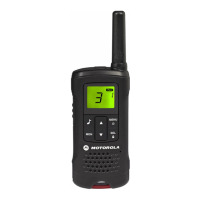



 To Next Page