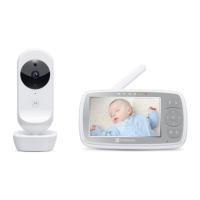
Overview of your Baby Unit
1. Power ON/OFF switch
Slide to turn the Baby Unit on or off.
2. Power/Link indicator
Red when the Baby Unit is turned on and linked to the Parent Unit.
Flashes Red when the Baby Unit is searching for the Parent Unit, or is in
the pairing process.
Off when the Baby Unit is powered off.
3. PAIR
Press and hold to pair to the Parent Unit.
4. Microphone
For transmitting sound to the Parent Unit.
5. Camera Lens
For transmitting video to the Parent Unit.
6. Light Sensor
For detecting when to switch on the Infra-red LEDs.
7. Infra-red LEDs
6 infra-red LEDs for night vision.
(Note: picture will not be in colour for night vision.)
1
2
3
4
5
7
6



 To Next Page