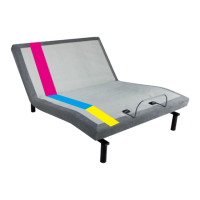
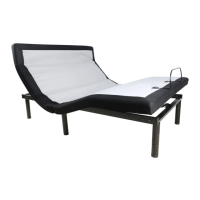
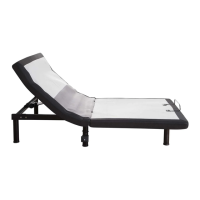
This document is an owner's manual for the MotoSleep H Series Power Foundation, an adjustable bed base designed for residential use. It provides comprehensive instructions for installation, operation, troubleshooting, and safety.
Function Description:
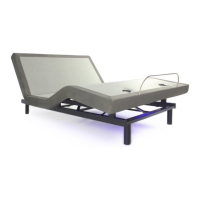
The MotoSleep H Series Power Foundation is an adjustable bed base that allows users to independently adjust the head and foot sections of their bed to various positions. This functionality is controlled via a remote, which can be either wired (H100) or wireless (H100IR, H200, H200M). The adjustable positions can enhance comfort for activities like reading, watching TV, or sleeping, and may offer health benefits such as relieving pressure on the lower back (Zero G position) or reducing snoring (Anti-Snore position). Some models (H200M) also include a massage feature for both head and foot sections with multiple intensity levels. The foundation is designed to support a mattress and bedding, distributing weight evenly across its surface. It can also be synchronized with another identical foundation for simultaneous operation, which is useful for larger beds like King or California King sizes. Optional headboard brackets are available for attaching a headboard to the foundation.
Important Technical Specifications:
- Radio Frequency: 2.4 GHz (for wireless models).
- Duty Cycle: The motors are designed to operate continuously for no more than 2 minutes within an 18-minute time period, or approximately 10% duty cycle. Exceeding this rating can shorten the life expectancy of the foundation and void the warranty.
- Weight Limits: The product is rated to support weights up to 650 pounds, inclusive of the mattress and bedding. This weight must be evenly distributed across the foundation. The head or foot sections alone are not designed to support or lift this amount. Exceeding the weight restriction can damage the bed and/or cause injury and will void the warranty.
- Power Supply: The foundation uses a power supply with a battery backup box, which requires two 9-volt batteries (not included) for power outages or initial setup in some configurations.
- USB Charger Station: Available on some models (H100, H200, H200M) for charging electronic equipment.
- Under Bed LED Lighting: Available on some models (H200, H200M).
- Headboard Bracket Hardware: Requires a 9/16" (14 mm) socket and 1/2" (13 mm) crescent wrench for installation.
Usage Features:
- Remote Control:
- H100 (Wired): Features buttons for "HEAD" (up/down), "FOOT" (up/down), and "FLAT" (one-touch preset position). Includes a USB port.
- H100IR (Wireless): Similar controls to H100 but wireless. Features buttons for "HEAD" (up/down), "FOOT" (up/down), and "FLAT" (one-touch preset position).
- H200 (Wireless): Adds "Anti-Snore" (one-touch preset), "TV" (one-touch preset), "Zero G" (one-touch preset), and two programmable positions (1, 2). Also includes an "Underneath LED on/off" button.
- H200M (Wireless): Expands on H200 with "Head Massage" (3 intensity levels), "Foot Massage" (3 intensity levels), and a "STOP" button to turn off massage. Also includes "Underneath LED on/off" and the same preset and programmable positions as H200.
- Programmable Positions: Wireless models (H200, H200M) allow users to save two custom head and foot positions. This is done by adjusting the bed to the desired position, then pressing and holding the LED on/off button followed by one of the programmable buttons (1 or 2) for 5 seconds until a beep sounds.
- Pairing Remote: The original remote is pre-paired. If re-pairing is needed, users must ensure batteries are working, unplug the power cord (and remove 9V batteries if installed), then press and hold "HEAD" and "FLAT" simultaneously until blue backlights turn off. Finally, plug the power cord back in; a beep will confirm pairing.
- Synchronizing Two Foundations: For simultaneous operation of two foundations (e.g., for a King-size bed), a sync cord is used to connect the control boxes of both foundations. For wired remotes, only one remote will operate both; for wireless, either remote will operate both.
- Mattress Retainer Bar: A bar is included to keep the mattress from sliding off the foundation during adjustments.
Maintenance Features:
- Troubleshooting Guide: The manual includes a comprehensive troubleshooting section to address common issues such as the remote not activating the bed, no features activating, wireless remote not illuminating, sections not returning to flat, excessive massage motor noise, clicking noises, and massage motor overheating.
- Battery Replacement: Instructions are provided for replacing batteries in the wireless remote control (three AAA batteries) and the 9-volt batteries in the power supply backup box.
- Obstruction Clearance: Users are advised to keep moving parts free of obstruction (sheets, clothing, tubing, wiring, power cords) during operation and to check for obstructions if the bed mechanism is not moving correctly.
- Cleaning Spills: In case of liquid spills, users are instructed to unplug the bed immediately, clean the spill, and allow the area to dry thoroughly before using electric controls again.
- Customer Service: A toll-free customer service number (1-800-MY-MOTTO / 1-800-248-5988) is provided for support.
- Warranty: The warranty is void if the control box, motors, or remote (excluding battery compartments) are opened or tampered with.


 To Next Page
 General