08
Adjust as Desired
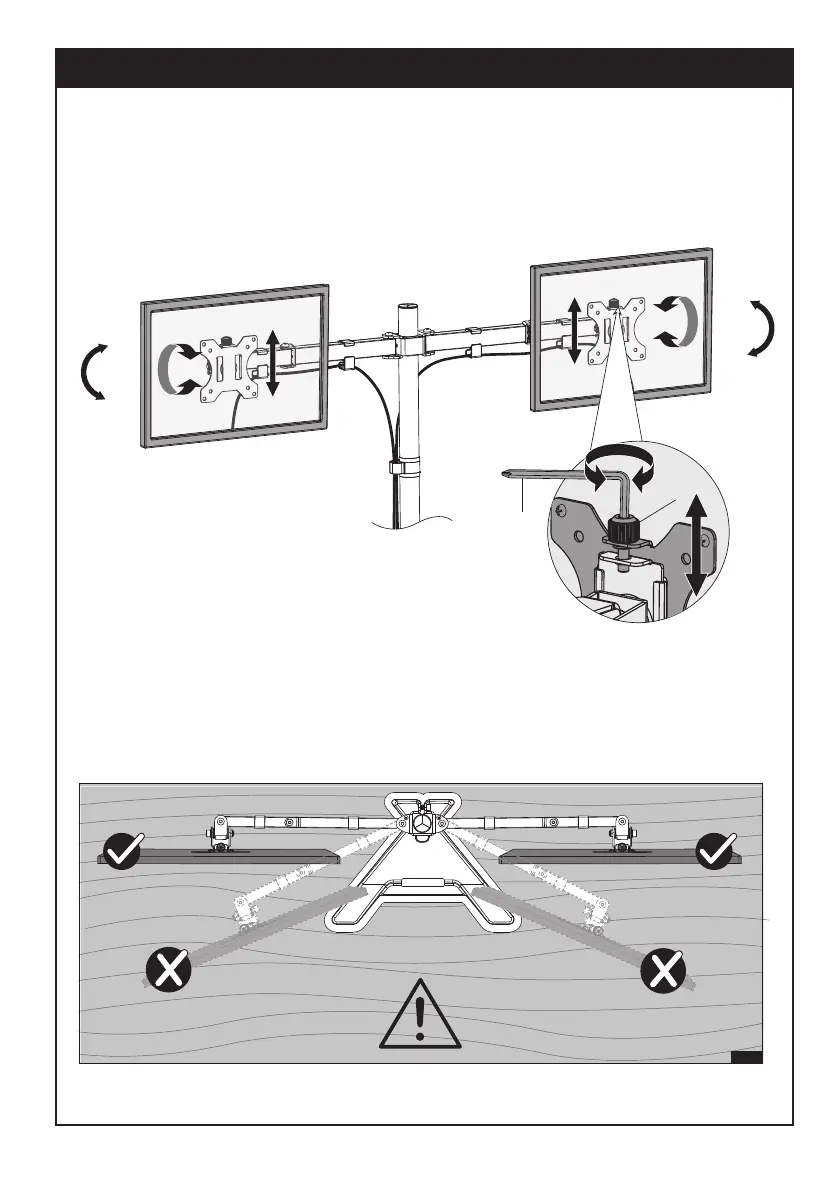
Adjust monitor position and rotation.
For minor height adjustment, turn the plastic cover (H) with the supplied 6mm Allen Key (K) to raise or lower
the monitor. Ignore this step if the two monitors are level.
Note: When tilted, if the monitor sags or does not stay,
please fasten the tilting bolt on the mount until the
monitor can be held at any angle as needed.
+90°
-90°
+90°
-90°
360°
360°
K
H
DESK


 To Next Page