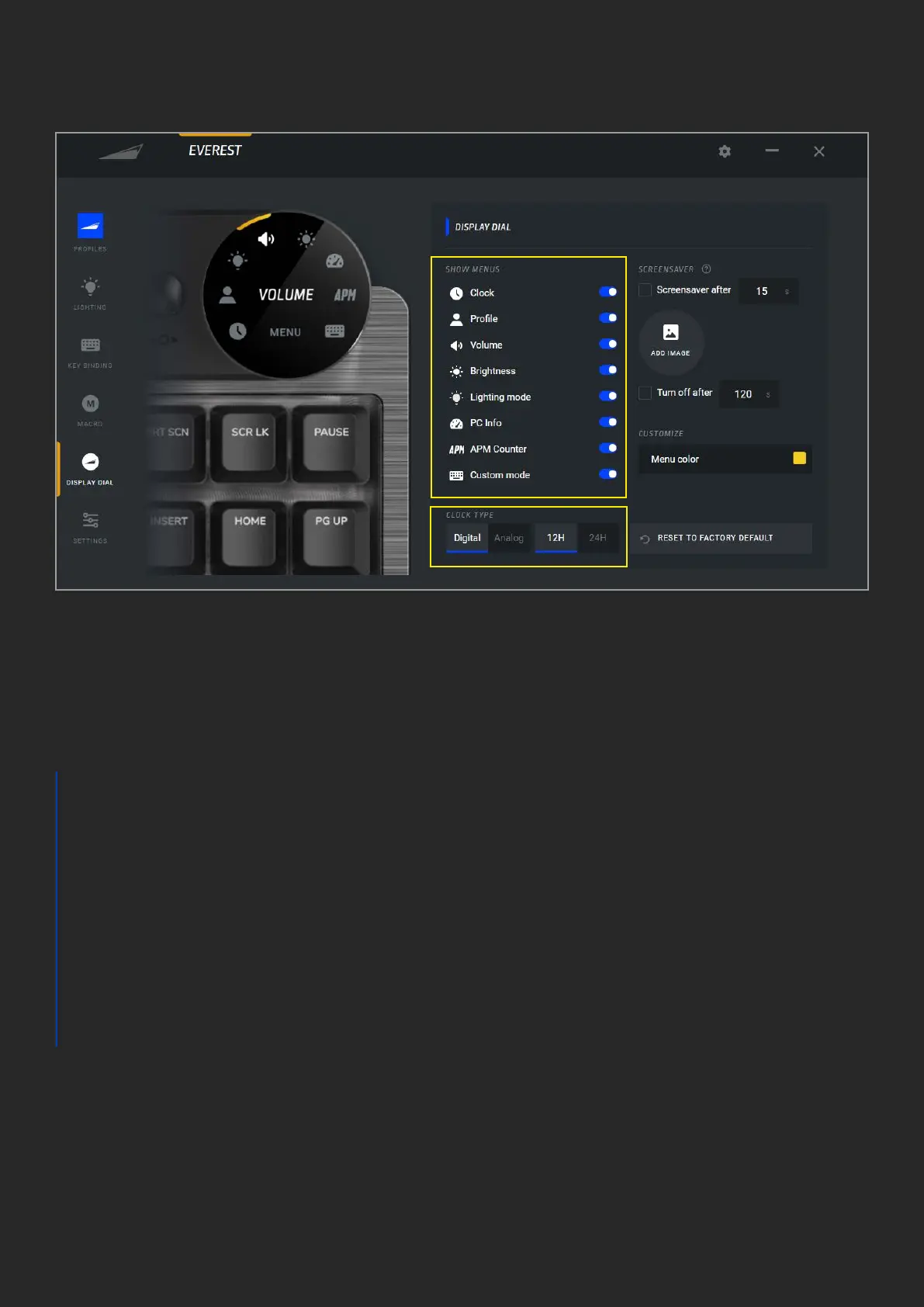
DISPLAY DIAL
1. The list of available menus. Disable
the menus to remove hide them on your
Display Dial
2. “Screensaver” is an imagine that will
display after a certain time of inactivity
a. The default Mountain logo can be
replaced by a custom image in
either bmp, jpg or png
format. “Screensaver after”
needs to be checked in order for
the image to show
b. Idle time to pass before the image
appears on Display Dial
c. In addition to screensaver, the
display can be turned o entirely
after the chosen time in seconds. This
may enhance the lifespan of your
display
3. The menu highlight color can be changed
to any color of your choosing
4. The Display Dial’s clock feature can be
set to digital or analog watch faces. The
digital display can be set to either 12H or
24H mode
5. Reset will return all dial settings back to
factory default
1
4
5
3
2C
2A
2B


 To Next Page
 Loading...