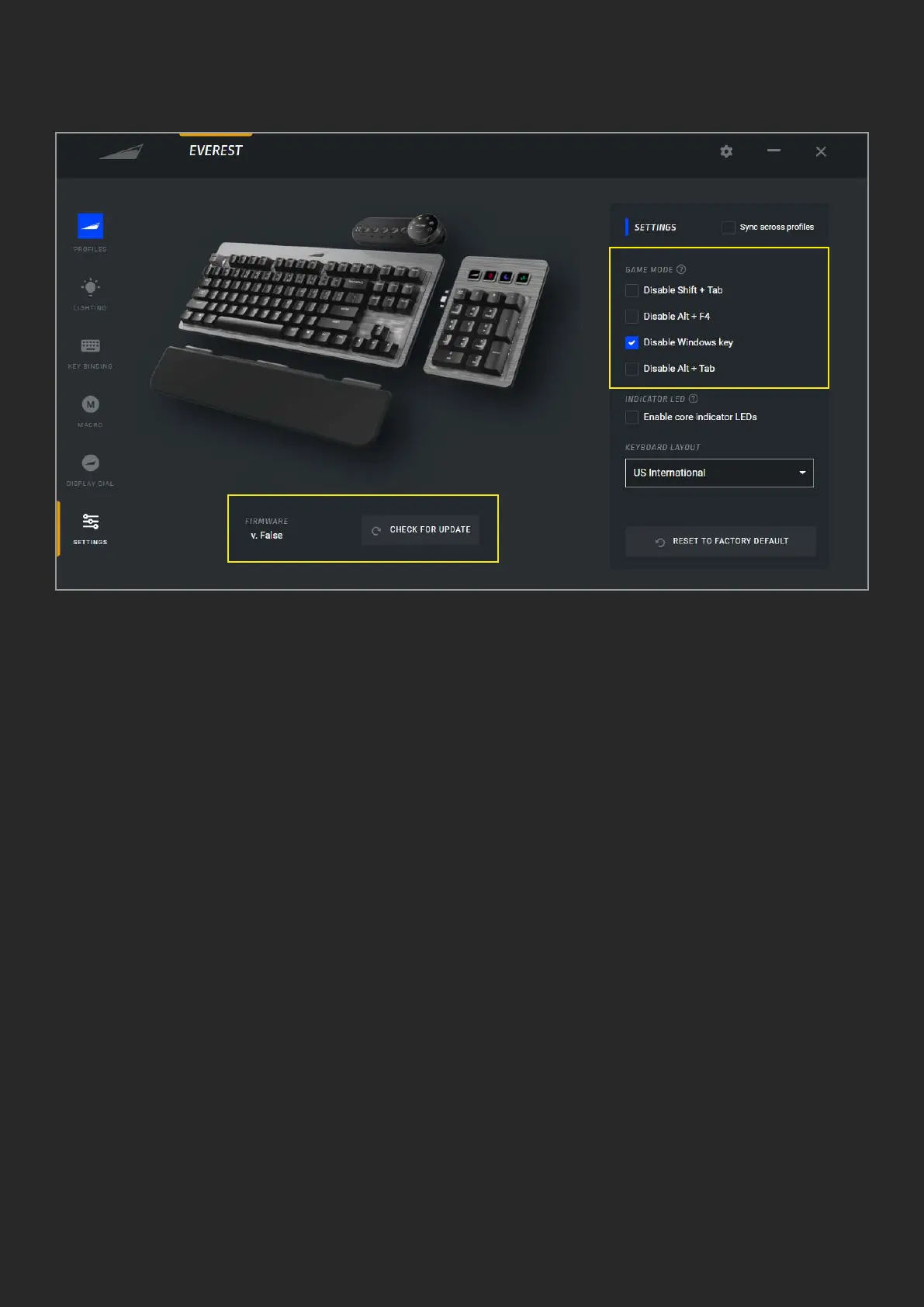
E. SETTINGS
1. Read out your device rmware and
manually search for updates
2. Game Mode (FN+Pause) disables the
Windows key by default. Other hotkeys that
could accidently minimize your game can
be disabled as well
3. The sync button will apply your settings
to all proles
4. For Everest Max the indicator LEDs
(Caps Lock, Scroll Lock, Num Lock and
Game Mode) are built into the media dock.
If you don’t have a Media Dock connected,
you can check this box to have the LEDs on
the keys themselves turn on/o to indicate
if the respective button is activated
5. Select your keyboard’s layout
6. Reset will return all settings back to
factory default
1
6
5
4
2
3


 To Previous Page
 Loading...