05
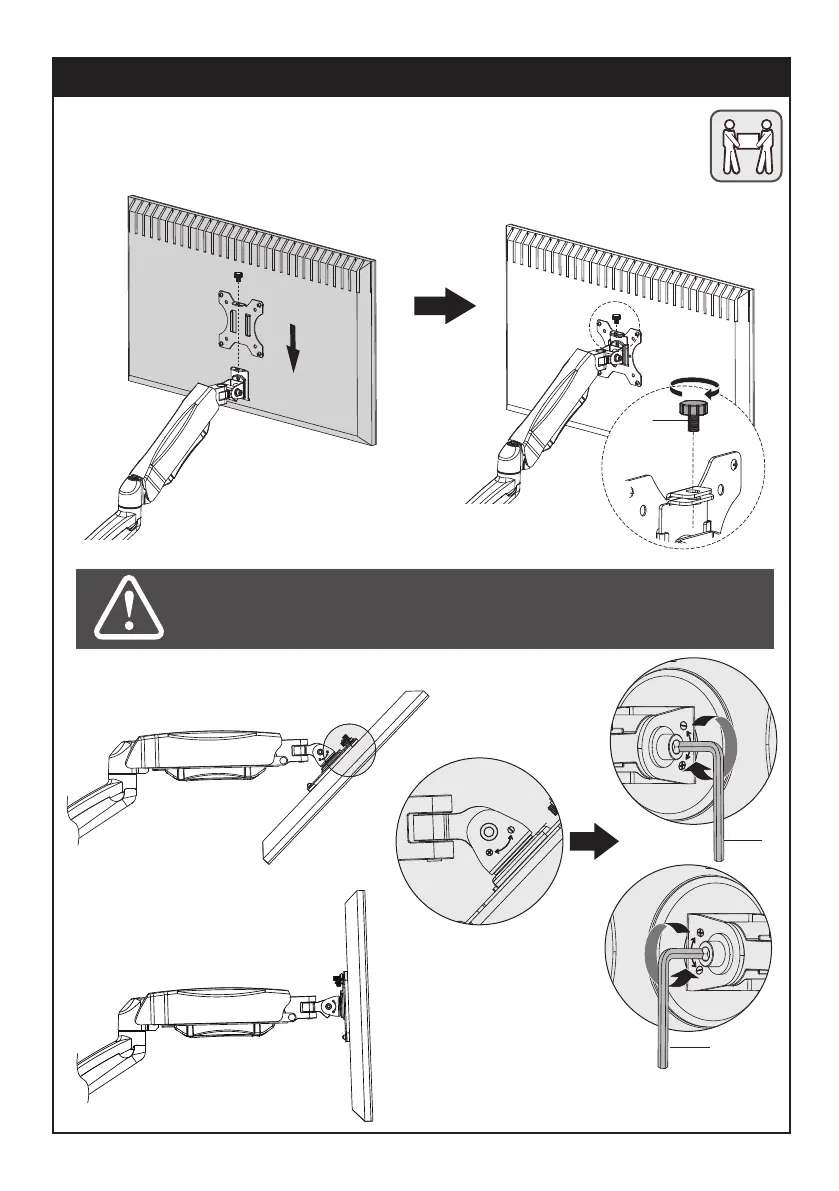
Slide the monitor onto the head of swivel arm, install the security bolt (I). Make sure the security
bolt is installed before you rotate the monitor.
STEP 3: Hang Monitor
Refer to below illustrations to
adjust tilting angle of your monitor.
I
Note: Fasten/loosen the tilting bolt
as needed per arrow direction (+/-)
shown in above diagram.
L
L


 To Next Page