Support RC4 wireless Lumendim/W-DMX DC dimmers quick start guide
V 1.0
V1.0-2018e © movie-intercom 2018
movie-intercom Blücherstr. 21 10961 Berlin, Germany
Change the Digital Persitance (DP) for LEDs with ISL dimmer curve
The digital persistance emulates the behaviour of a halogen bulb when LEDs are used.
Due to the 8-bit resolution of a DMX channel= 256 steps these steps might be visible when
used with LED. At all RC4 Wireless dimmers you may vary the digital persistance.
For the fast LED response time change it here.
Default setting is "medium".
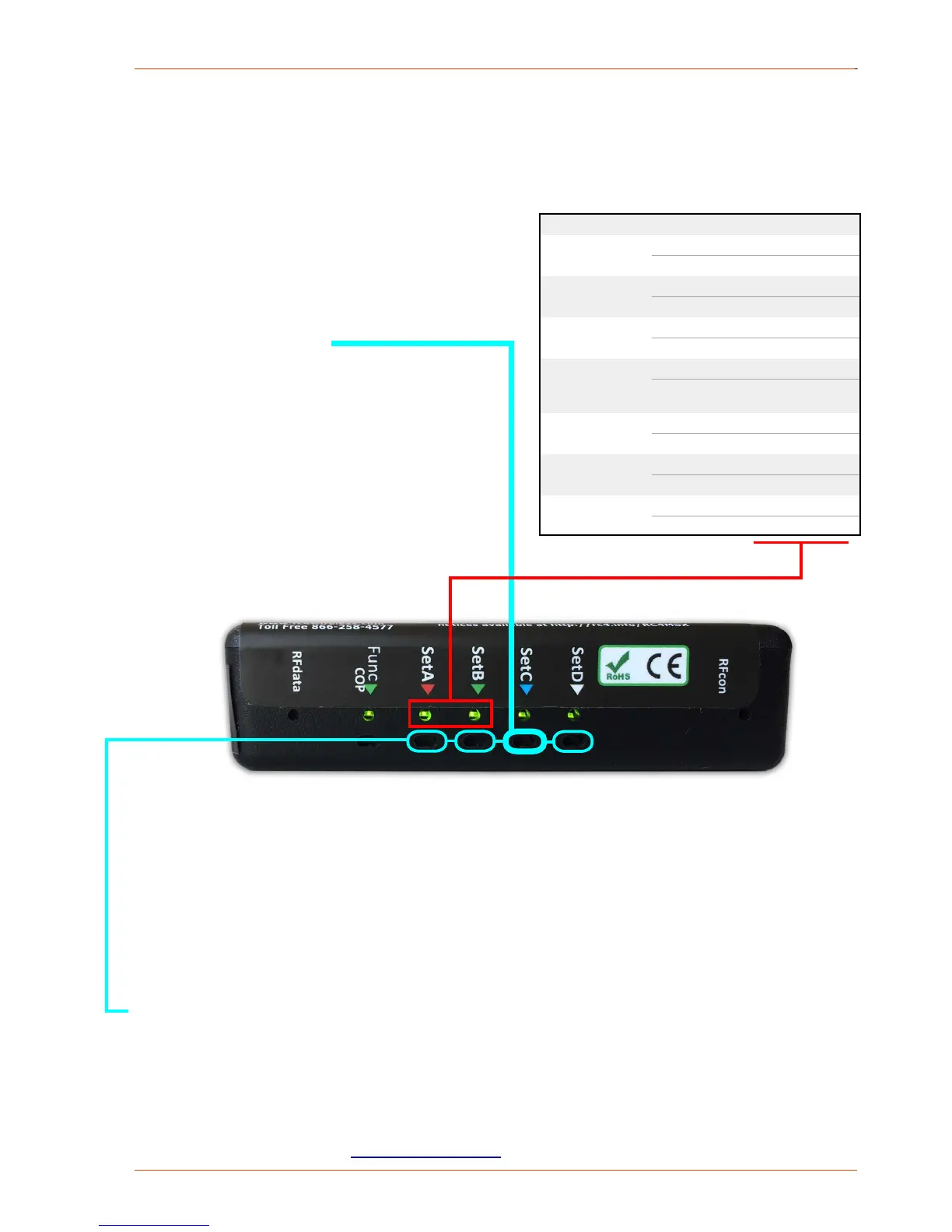
PLEASE remove the DMX signal!
With every long push on "SetC" the options will
cycle through the table. After option 7 will get
Option 1 again.
The blink pattern will be returned on lamps con-
nected DimA and DimB or as shown on the out-
put indicator LEDs.
As soon as the blink pattern appears, release
"SetC".
• • •
Option 2
very fast
Option 3
fast
•
Option 6
slow
Option 7
very slow
DMX4dim
Change of private system IDs
(valid only for RC4 Magic Dimmer DMX2dim, DMX4dim and DMX4dim500)
Different system IDs makes it easy to use several RC4 Magic systems in the same environ-
ment at the same time. On power-up, the RFcon and COP indicators blink to indicate which
System ID is currently selected:
Change ID at dimmer and transmitter DMXio/DMXio-HG (see label on bottom):
1. Remove power supply from dimmer/transmitter
2. Push and hold "SetA"> ID0, "SetB" > ID1, "SetC" > ID2 or public ID "SetD" >ID3 (not
recommended)
3. Power-up device > blinking LEDs show, which ID has been selected: > ID0: LED "RFcon";
ID1: "COP"; ID2: "RFcon" and "COP" blinks together, ID3 (public): "RFcon" and "COP"
blinks alternately > release button.



 To Previous Page
 Loading...