4
CBV384Z4 DOCSIS 3.0 Cable Modem
Quick Installation Guide
Accessing the Web Management
For easy-changing the default settings, a Web-based GUI is built-in for your access.
Use the following procedures to login to your CBV384Z4.
1. Open your web browser.
2. Type the default IP address of the CBV384Z4 (http://192.168.1.1) and press Enter
3. The Log In page appears. Type the user name and password in the respective fields.
User name: admin
Password: each unit has its own password, please refer to the housing label
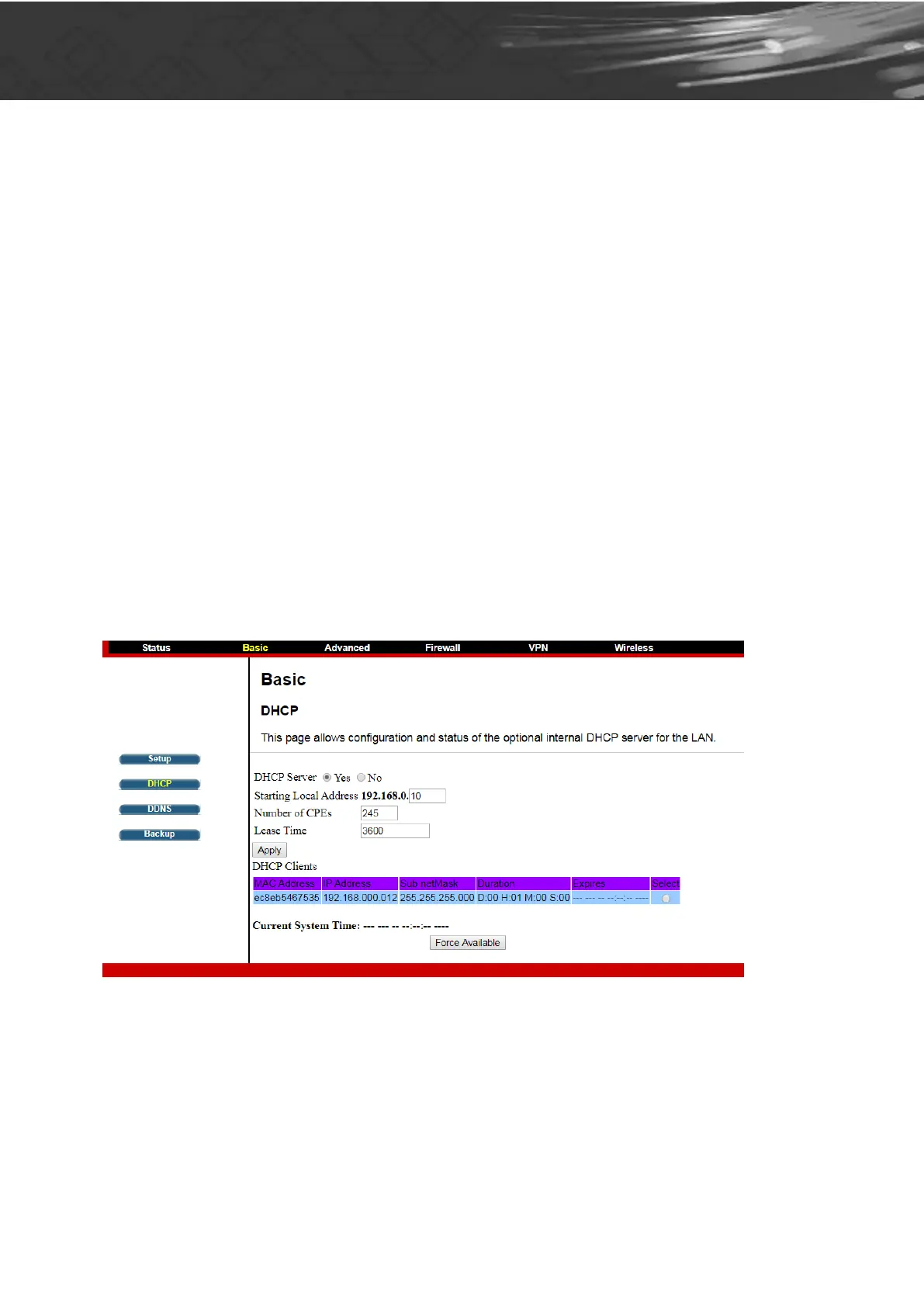
Configuring Your WAN Connection
The DHCP page allows you to activate/deactivate the DHCP server function of the CBV384Z4,
and, if the DHCP server is activated, to see DHCP leases it has provided.


 To Next Page